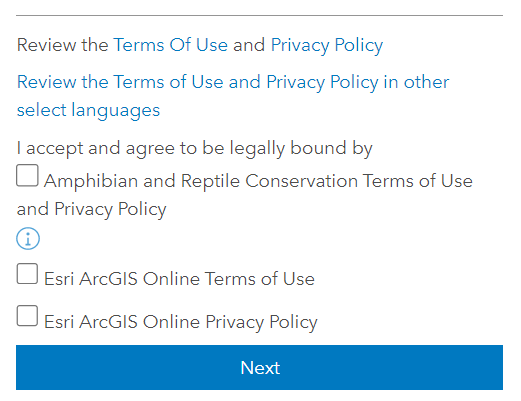
ArcGIS Hub Premium allows us to set up a Custom Sign Up Welcome Message and Custom Sign Up Terms and Conditions in the Advanced Settings. In addition, users signing up are expected to agree to the ESRI Master Agreement and Privacy Policy. However, when inviting users to create an account (rather than self-sign up), they bypass all of these terms and conditions (both custom and ESRI - see screenshot below of self signup requirements). Is there a way to enable the terms and conditions for invited users to agree to during their account setup process? This seems to be an oversight at the moment.
If this is not possible, what is the best process for ensuring that users read and agree to both ESRI's and our organisation's terms and conditions? Possibilities I have considered include:
- Provide links to the terms and conditions before inviting users to setup an account.
- Provide links to the terms and conditions in the invite email (but the custom email text does not have formatting options for hyperlinks)
- Provide links to the terms and conditions after signup (too late!)
If using one of the above workarounds, what link(s) can we use to direct users to the ESRI terms and conditions for ArcGIS Online?