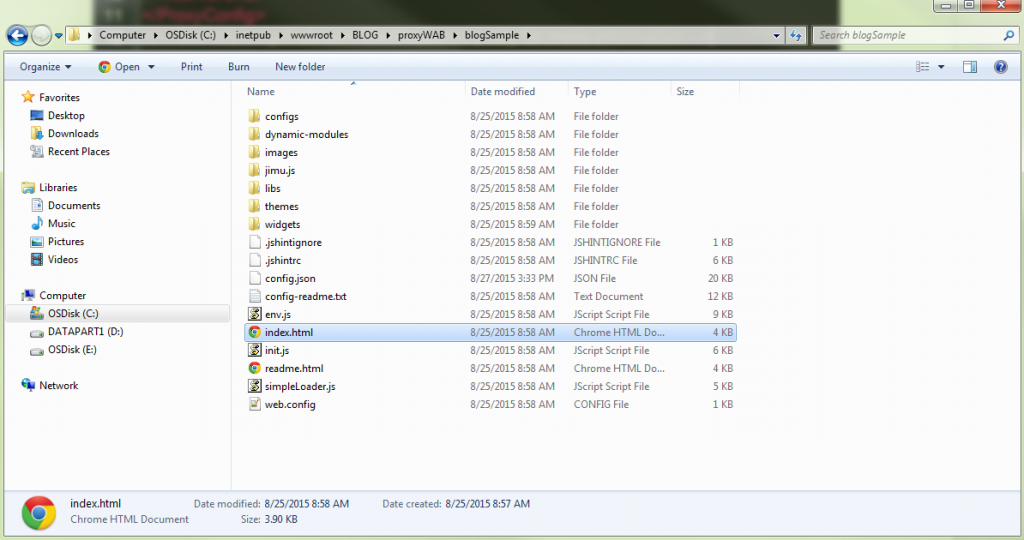
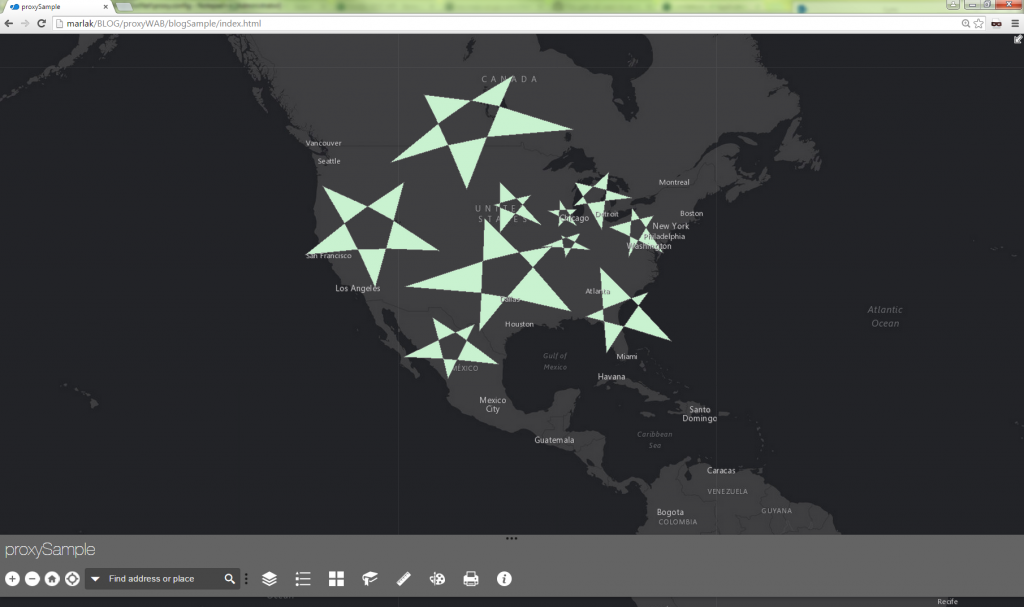
ご注意:このブログは、すでにプロキシをダウンロードし、ホストし、適切に構成していることを前提としています。まだかどうかわからない場合でも心配いりません。指示に従ってくださいHERE<\/STRONG> <\/A>。<\/EM><\/P>おさらいとして、Web AppBuilderアプリケーションでプロキシを設定する理由をいくつか挙げます。トークンベース認証によるセキュアなサービスへのアクセス<\/LI>リソースのクロスドメインアクセス<\/LI>リクエストが2,048文字を超える場合<\/LI>O-Auth 2.0アプリログインの使用<\/LI>ログ記録の有効化<\/LI>リソースおよびリファラベースのレート制限の両方<\/LI><\/UL><\/BLOCKQUOTE>共通認識を持つために、状況を整理しましょう。Developer EditionのWeb AppBuilder内で素晴らしいアプリケーションが作成されています。アプリケーションがダウンロードされ、ウェブサーバーに展開されていることを今一度確認してください。2つのものがセキュアです:組織と共有されたArcGIS Onlineのウェブマップ<\/LI>ArcGIS Server組み込みのArcGISトークンで保護されたArcGIS for Serverマップサービス<\/LI><\/OL><\/BLOCKQUOTE>この例では、アプリケーション実行時に2つの課題があります。一つはセキュアなウェブマップの認証、もう一つはArcGIS for Serverマップサービスの保護です。開発者ツールのNetworkタブを見ると、ArcGIS Onlineウェブマップへのアクセス時にレスポンスが403エラーを返していることがわかります。これはデフォルトで匿名ユーザーがこのリソースにアクセスする権限を持っていないためです。<\/A> ウェブマップ保護の課題<\/P><\/DIV>2つ目の課題として、Networkタブではサービスの読み込みに失敗し、499トークン必須エラーが返されています。これはコンテンツにアクセスするにはトークンを渡す必要があることを示しています。<\/A> ArcGIS for Serverマップサービス保護の課題<\/P><\/DIV>さあ、準備ができました!1. Windows Explorerでアプリケーションの「config.json」ファイルを開きます。 <\/A>2. ファイルの一番下には、アプリケーションにプロキシルールを追加するための快適な場所があります。 <\/A>パラメータuseProxy(Boolean)はデフォルトでtrueに設定されています。falseに設定するとすべてのリクエストはプロキシを使用しません。パラメータurl(String)はオプションで、プロキシの場所のURLです。クロスドメインリクエストや2048文字以上のリクエストの場合、このプロキシが使用されます。パラメータalwaysUseProxy(Boolean)もオプションでデフォルトはfalseです。trueに設定するとRESTエンドポイントへのすべての通信リクエストはurlパラメータで設定されたプロキシを使用します。パラメータrules(Object[])もオプションであり、設定すると特定のリクエストのみプロキシを使用するよう定義します。3. セキュアなリソースが2つあるので、それらへのリクエストは認証用にプロキシ経由にできます。そのためにはconfig.jsonファイルにいくつかプロキシルールを追加します。<\/A> プロキシルール<\/P><\/DIV>最初のルールは組織と共有されたウェブマップ用で、2番目はセキュアなArcGIS for Serverサービス用です。urlPrefixプロパティはリクエスト内でこのプレフィックスが見られたら、そのリソースへアクセスする際にプロキシを使うことをアプリケーションに伝えます。proxyUrlプロパティはプロキシがどこにあるかを示します。ウェブマップは組織と共有されている場合もあれば全く共有されていない場合もあります。clientIdとclientSecretを使うことでウェブマップやその中のリソースを認証できます。ArcGIS Onlineホスト型フィーチャサービスを扱う場合、そのホスト型フィーチャサービスの所有者である必要があります。
ウェブマップ保護の課題<\/P><\/DIV>2つ目の課題として、Networkタブではサービスの読み込みに失敗し、499トークン必須エラーが返されています。これはコンテンツにアクセスするにはトークンを渡す必要があることを示しています。
ArcGIS for Serverマップサービス保護の課題<\/P><\/DIV>さあ、準備ができました!1. Windows Explorerでアプリケーションの「config.json」ファイルを開きます。
プロキシルール<\/P><\/DIV>最初のルールは組織と共有されたウェブマップ用で、2番目はセキュアなArcGIS for Serverサービス用です。urlPrefixプロパティはリクエスト内でこのプレフィックスが見られたら、そのリソースへアクセスする際にプロキシを使うことをアプリケーションに伝えます。proxyUrlプロパティはプロキシがどこにあるかを示します。
ウェブマップは組織と共有されている場合もあれば全く共有されていない場合もあります。clientIdとclientSecretを使うことでウェブマップやその中のリソースを認証できます。ArcGIS Onlineホスト型フィーチャサービスを扱う場合、そのホスト型フィーチャサービスの
ArcGIS Onlineで保護されたコンテンツ(セキュアなウェブマップやホスト型フィーチャサービスなど)を扱う場合は、client idとclient secretによる認証が強く推奨されます。一方、ArcGIS for Server上でホストされているサービスにはArcGIS for Serverユーザー名とパスワードを使用します。
Developer accountArcGIS Online account
proxy.config内のserverUrl
I set up the DotNet proxy on the same machine as my app.
I set up the application's config.json with one rule:
"httpProxy": { "useProxy": true, "alwaysUseProxy": false, "url": "", "rules": [{ "urlPrefix": "https://SERVER1/borOutreach", "proxyUrl": "https://SERVER1/DotNet/proxy.ashx" }] }<SPAN class="line-numbers-rows"><SPAN></SPAN><SPAN></SPAN><SPAN></SPAN><SPAN></SPAN><SPAN></SPAN><SPAN></SPAN><SPAN></SPAN><SPAN></SPAN><SPAN></SPAN></SPAN>
I set the proxy.config with one serverUrl:
<SPAN class="token tag"><SPAN class="token tag"><SPAN class="punctuation token"><</SPAN>serverUrls</SPAN><SPAN class="punctuation token">></SPAN></SPAN> <SPAN class="token tag"><SPAN class="token tag"><SPAN class="punctuation token"><</SPAN>serverUrl</SPAN> <SPAN class="attr-name token">url</SPAN><SPAN class="attr-value token"><SPAN class="punctuation token">=</SPAN><SPAN class="punctuation token">"</SPAN><A class="jive-link-external-small" href="https://community.esri.com/external-link.jspa?url=https%3A%2F%2FSERVER1%2FborOutreach" target="_blank">https://SERVER1/borOutreach</A><SPAN class="punctuation token">"</SPAN></SPAN> <SPAN class="attr-name token">matchAll</SPAN><SPAN class="attr-value token"><SPAN class="punctuation token">=</SPAN><SPAN class="punctuation token">"</SPAN>true<SPAN class="punctuation token">"</SPAN></SPAN><SPAN class="punctuation token">/></SPAN></SPAN> <SPAN class="token tag"><SPAN class="token tag"><SPAN class="punctuation token"></</SPAN>serverUrls</SPAN><SPAN class="punctuation token">></SPAN></SPAN><SPAN class="line-numbers-rows"><SPAN></SPAN><SPAN></SPAN><SPAN></SPAN></SPAN>
https://SERVER1/DotNet/proxy.ashx?ping returns
{ "Proxy Version": "1.1.2", "Configuration File": "OK", "Log File": "Not Exist/Readable"}
But https://SERVER1/DotNet/proxy.ashx?https://SERVER1/borOutreach?f=pjson fails to load anything, looking for simpleLoader.js , init.js, env.js etc. at https://SERVER1/DotNet/fileName.ext
If I swap out http://esri.com for https://SERVER1/borOutreach in config.json and proxy.config, it loads the (poorly formatted) Esri webpage.
I can't seem to figure out how to deploy my web app.
For me, it is still unclear what the following parameters are for my app:
yourDomainyourDomainNameyourSecuredService
I guess 'yourDomain' is "routeplannerpedestrianthesis". This is the domain I set in the Data Source URL (https://laptop-p9sbpmdc.routeplannerpedestrianthesis:3344/webbuilder ) in the settings of the web app. But if this is true, what is "yourDomainName", does this differ from "yourDomain"? In addition, I am also not sure what "yourSecuredService" could be. Below you can see my proxy.config file and my config.json file. Please let me know what I am doing wrong. For obvious reasons I deleted my ClientID, ClientSecret and username and password in the printscreen. In my webapp I make use of the Plan Route widget.
Bill, did you find an answer to this question? I believe I may be experiencing the same issue the proxy gets my into the web map fine, but i'm challenged for the arcgis login when running the analysis widget.
Thanks!
JP
Is there additional settings/config to get this working on an Enterprise 10.6x instance with Portal and Active Directory authentication?
I have the proxy working on a 10.3 instance with no Portal and simple ArcGIS Server User Store, but on this new server instance it continues to prompt with the login page.
I have so far: - installed the DotNet proxy files - created the Application in IIS - setup the serverUrl details in the proxy.config file using one of the ArcGIS user credentials (not an AD user) - the proxy URLs test successfully:
https://<my-server>/DotNet/proxy.ashx?https://my-server/portal/sharing/rest/content/items/<some itemID 1>
https://<my-server>/DotNet/proxy.ashx?https://my-server/portal/sharing/rest/content/items/<some itemID 2>
https://<my-server>/DotNet/proxy.ashx?https://my-server/arcgis/rest/services/<Folder Name>
So the proxy seems to be working, but it still fires the login page when hitting the web app?
Any ideas/suggestions would be greatly appreciated.
Hello,
After performing all the steps you mentioned, I am still getting popup for Login using Username Password. Screenshot - 09bb900de3a61f481b47527b1cf0b308 - Gyazo
My HttpProxy looks something like this.
and Proxy.config look like this.
<serverUrl url="http://geollect.maps.arcgis.com/sharing/rest" clientId="sdsdsdsddffCCuDcgfdgfg" clientSecret="dsdsdsdsdsdsds34e18gfgfgfgf" matchAll="true"/> <serverUrl url="http://utility.arcgisonline.com/arcgis/rest/services/Geometry/GeometryServer" username="username" password="password" matchAll="true" /> <serverUrl url="http://services.arcgis.com"clientId="sdsdsdsddffCCuDcgfdgfg"clientSecret="dsdsdsdsdsdsds34e18gfgfgfgf" matchAll="true"/> <serverUrl url="http://route.arcgis.com"clientId="sdsdsdsddffCCuDcgfdgfg"clientSecret="dsdsdsdsdsdsds34e18gfgfgfgf" matchAll="true" />Can you help me here?
Hi, Did you get anything that worked for you ?Please reply, It will be greatful
How did you resolve the pop up issue ?
If you get a popup message to sign-in, it's either the proxy didn't trigger for the request or you don't have permissions to access some portal items through the proxy. You need to narrow the problem by accessing the resources through the proxy directly to understand if it works or not -
https://#proxy-url/proxy.ashx#?#resource-url#
and always work with fiddler or the network tab in dev-tools, to examine the response.
When creating an app with client id+secret, you delegate access to Portal for that user who created that app. if Portal items are not owned by/shared with that user who created the dev app, you will still not be able to access these portal items with the client id + secret
サインインしたメンバーは投稿、更新のフォローなどができます。初めてですか?無料アカウントを登録してください。
Find useful guides, FAQs, and documents to help you navigate and make the most of Esri Community.