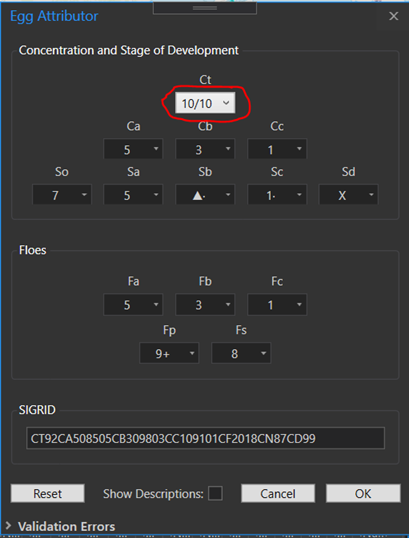
I have an ArcGIS Pro AddIn I’m developing and I’m having an issue with ArcGIS Pro Theme Styles being overwritten (I think). I need to change a property in a ComboBox based on an event trigger. This needs to be done in the WPF control’s “Style” section. However, when I do this it seems to overwrite the ArcGIS Pro Theme Style (see below). Is this expected behavior and is there a way I can avoid this?
<ComboBox Width="60" MaxDropDownHeight="540" HorizontalContentAlignment="Center" ItemsSource="{Binding Concentrations}" SelectedValuePath="ManiceCode" SelectedValue="{Binding CT, Mode=TwoWay, UpdateSourceTrigger=PropertyChanged}">
<ComboBox.Style>
<Style TargetType="{x:Type ComboBox}">
<Setter Property="DisplayMemberPath" Value="Description" />
</Style>
</ComboBox.Style>
</ComboBox>