Hi all,
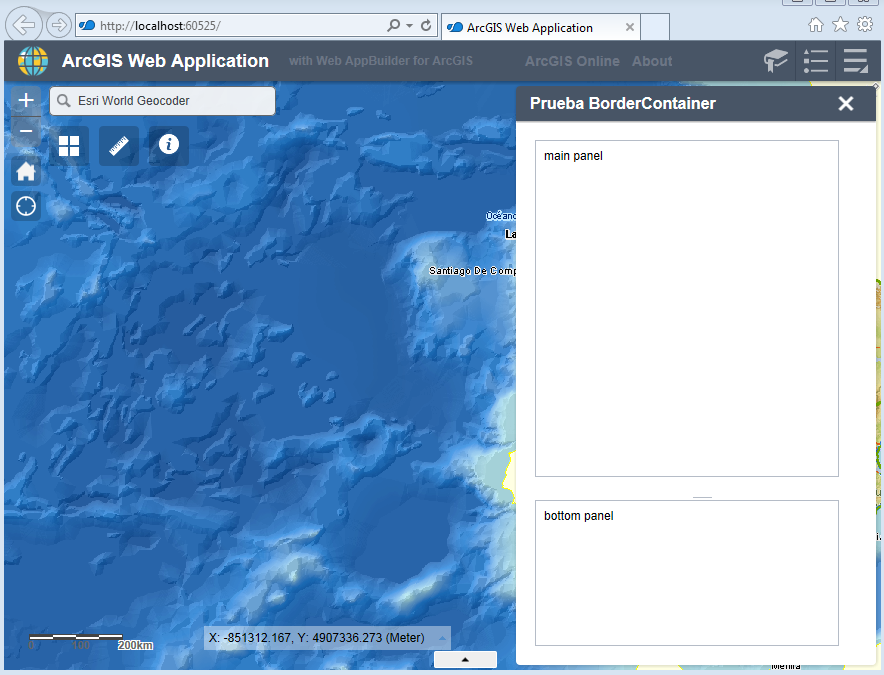
I,m trying to place a BorderContainer with two ContentPane inside and a splitter between them. As you can see, the BorderContainer is placed in the widget's panel, but something strange is happening with the position of the ContentPanes as they seem too far to the left. Also whenever I click on the slider the top ContentPane gets bigger, the slider doesn't move and the splitter is eventually covered by it. See attached images:
Initial state:
After a couple clicks on the splitter:
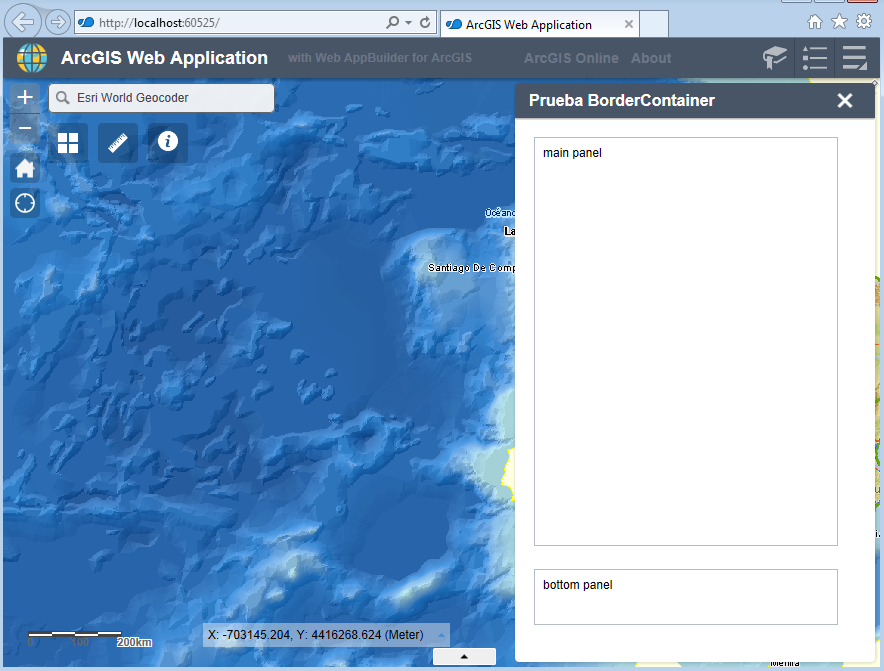
The expected behaviour is:
- If the splitter is not dragged, none of the panes should resize.
- The BorderContainer should be centered in the widget's panel
- Te splitter should be in the center of the space between the top and bottom ContentPane
This is the test widget I created:
Widget.js:
define([
    'dojo/_base/declare',
    'jimu/BaseWidget',
    'dijit/layout/BorderContainer',
    'dijit/layout/ContentPane',

],
function (declare, BaseWidget, BorderContainer, ContentPane) {
    //To create a widget, you need to derive from BaseWidget.
    return declare([BaseWidget], {
        // DemoWidget code goes here
        baseClass: 'jimu-widget-demo',

        startup: function () {
            this.__setupPanelLayout();
        },

        __setupPanelLayout: function () {
            var bc = new BorderContainer({ liveSplitters: true }, this.bcDiv);

            this.mainPanel = new ContentPane({
                region: 'center',
                content: 'main panel',
            });

            this.bottomPanel = new ContentPane({
                region: 'bottom',
                content: 'bottom panel',
                style: 'height: 200px;',
                splitter: true
            });

            bc.addChild(this.mainPanel);
            bc.addChild(this.bottomPanel);
            bc.startup();
            bc.resize();
        }

    });
});
Widget.html:
<div style="width: 100%; height: 100%;">
    <div data-dojo-attach-point="bcDiv" style="width: 100%; height: 100%;"></div>
</div>
Any idea of what I'm doing wrong?
Thanks!
