I am trying to create a table in Desktop - layout view. I'm using the Insert - Object - Microsoft Excel Worksheet options.
I'm able to create a nice - crisp table of data just fine. I would like to have each line alternate in a yellow highlight to make things easier to locate. This works just fine when creating, and adding to my map.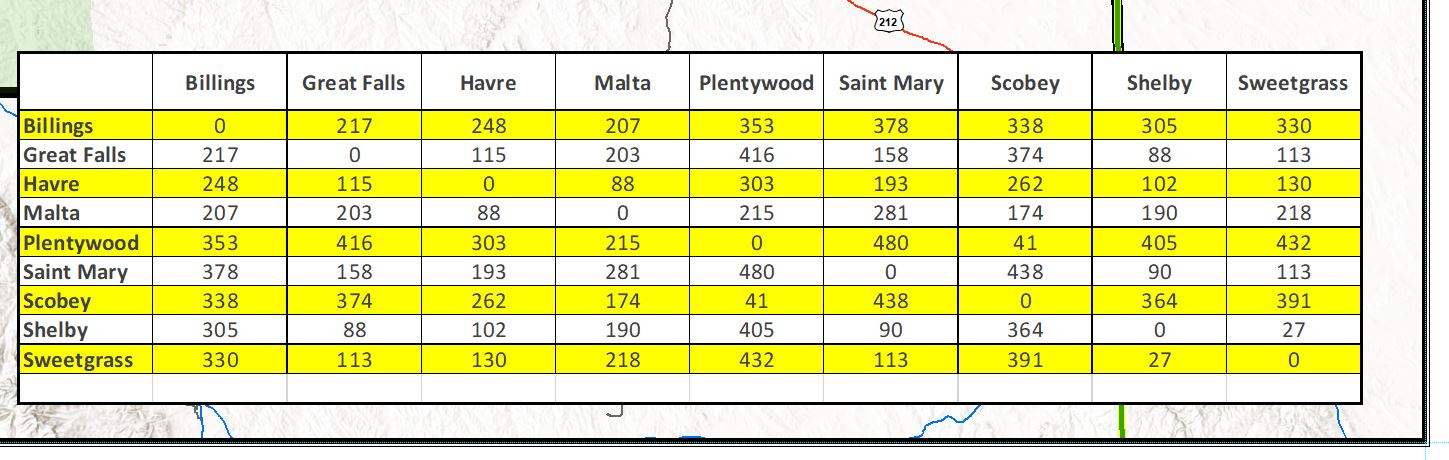
The problem lies in trying to export the map to a printable format. (For one reason or another, I can not print my map as a large poster straight from the .mxd. However, I was able to print a small version, and the highlighting prints out just fine.)
When I save the layout image as a .jpeg, .png, or a .pdf, the table background (that I set in my excel spreadsheet as alternating lines of white and yellow) shows as transparent.
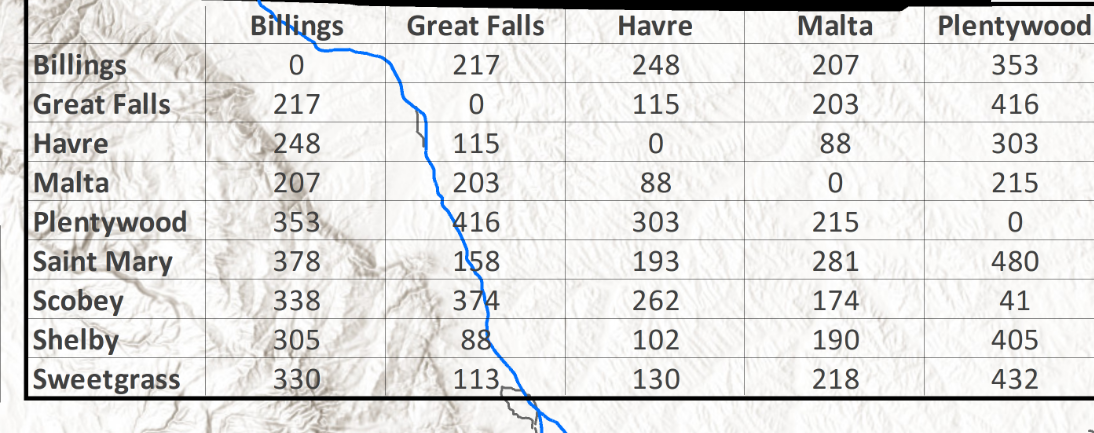
I was able to set the background as white, to eliminate the transparency, by right clicking on the table, Properties - Frame - Background set as white. However, I would like to keep the alternating yellow highlighting that I can assign in the Excel file, and that also appears on the layout view.
Any suggestions?






