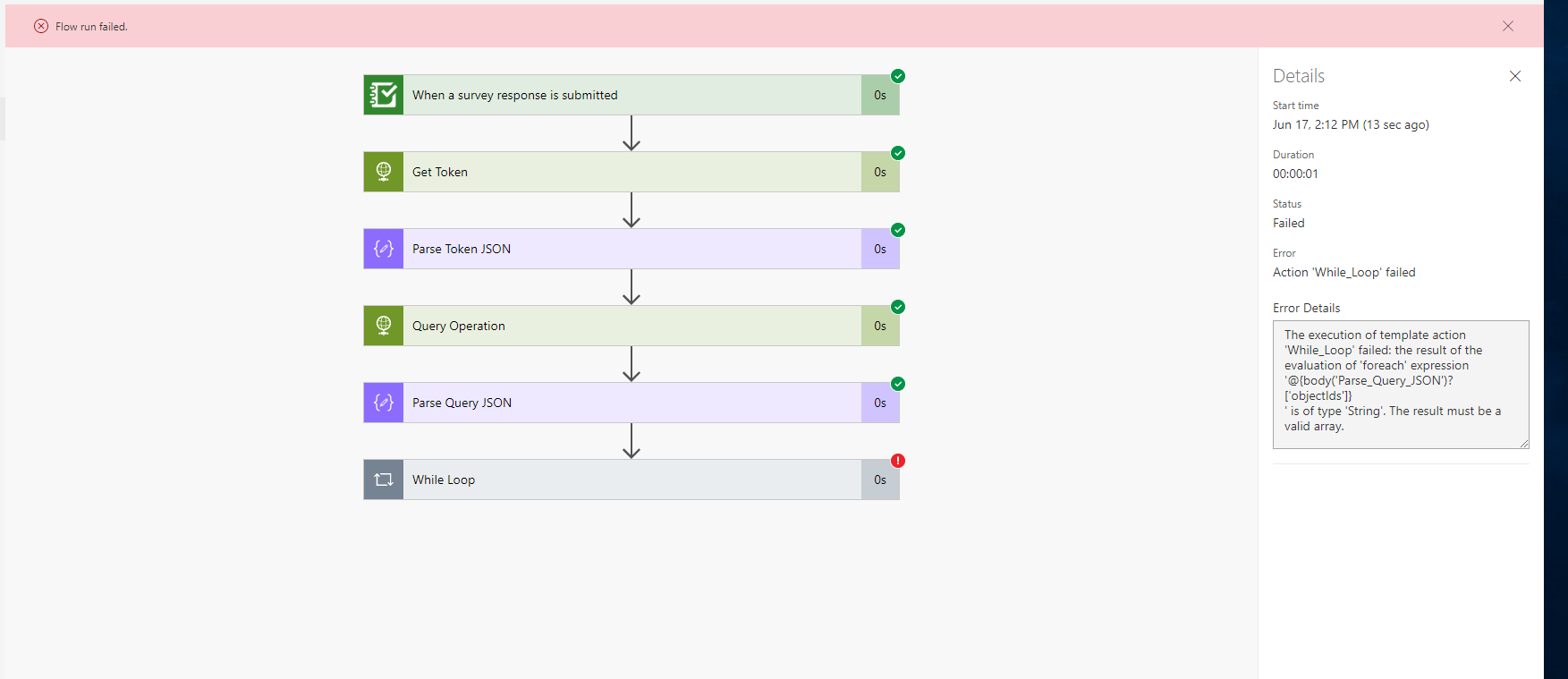
以下のリンクの手順に従って、Survey123でアンケートを送信した後にレイヤーを自動更新しようとしています
https://resources.esri.ca/getting-technical/webhooks-microsoft-flow-and-the-arcgis-rest-api-automating-your-web-gis
しかし、最後の段階でうまくいかず、次のエラーメッセージが表示されます。
テンプレート アクション 'While_Loop' の実行に失敗しました。'@{body('Parse_Query_JSON')?['objectIds']}' という 'foreach' 式の評価結果は 'String' 型です。結果は有効な配列である必要があります。
何が間違っているのか、どなたか教えていただけませんか?
Hi Paul Sweeney,
I expect it is because when Flow autogenerated the schema when you uploaded a sample json, it takes a guess at the type of data (many times erroneously). All you need to do in your schema is delete the type or change it to integer.
Hi thanks for you response (I really should have posted an update here) i had eventually figured this out and this was exactly what i did i removed the types and it worked perfectly. This is a really useful tool for us now.
Hi Paul,
I'm having a similar problem with this same workflow. Would you mind showing me your HTTP query operation and following Parse JSON connector?
I'm a bit lost and getting the same error, so any help is appreciated....
Hi Chris
See below. you only need a header as per my screen shot then a post
then for each object id in th e query you need to apply the edit as per below
FYI i have migrated to integromat as i find it more user friendly.
you need to look at the json in your Body , you have a comma after your colon Object ID:, you need to remove it.
サインインしたメンバーは投稿、更新のフォローなどができます。初めてですか?無料アカウントを登録してください。
Find useful guides, FAQs, and documents to help you navigate and make the most of Esri Community.