Unable to set <server> as the hosting server.
Failed to update federated server '<server>:<port> (id: <id>)'. Failed to validate the server managed database '/enterpriseDatabases/AGSDataStore_ds_76i0psz6'.
This is the message we get when we try to set the FEDERATED ArcGIS for Server from the drop down in :
Portal > Organization > Edit Settings > Servers > Hosting Server
We have the following setup...
Server01 : ArcGIS Server
Server02 : Portal
Server03 : Relational Data Server (Data Server Installed and Configured)
On Server03 we have installed the Datastore app and configured it, pointing it to Server01.
On Server01 it shows the following:
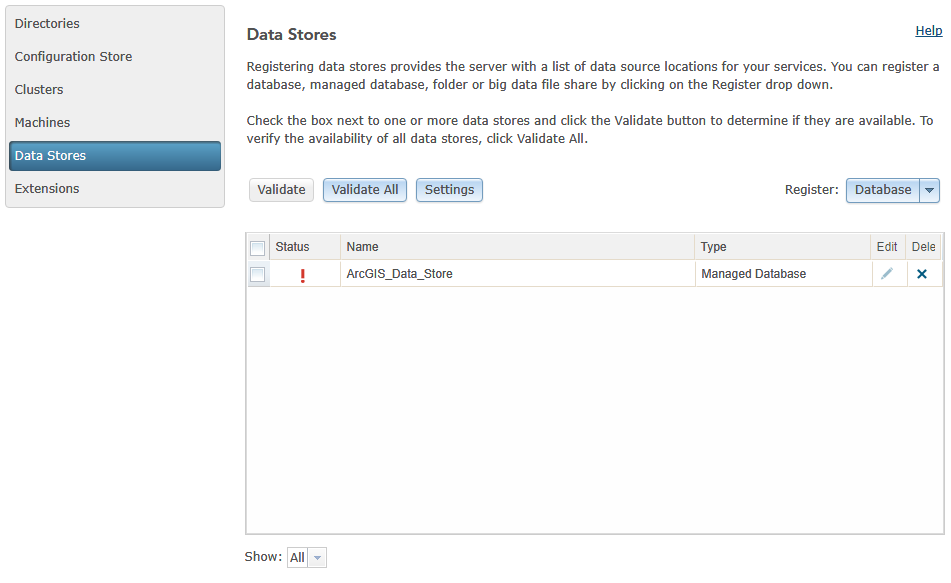
On Server02 we have federated Server01.
So why am I showing an Exclamation? Do I need to create a GeoDatabase manually? The Wizard for DataStore has been run... Any ideas? Suggestions?


