I'm trying to share an ArcGIS Pro project by exporting it to project package using the New Project Package -> save project as file tool from the Share Tab.
When I do this I get several errors saying MapControlMapXX does not have any layers. 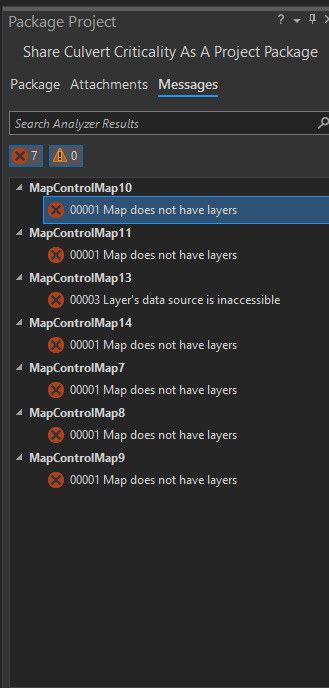
I can click on the Options button for each and open in the Contents Pane. These are all blank maps. I do not know how they were created and I cannot figure out how to delete them. I don't see them listed in my project folder in File Explorer.
How do I get rid of them so I can create my Project Package?





