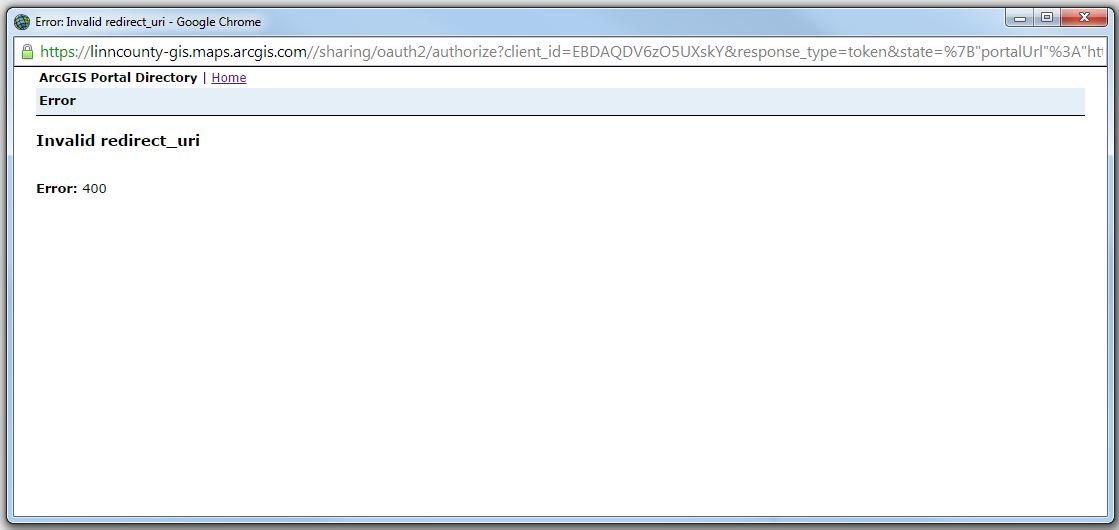
開発者向けのWebApp Builderベータ版2.0を使用しており、AGOLサイトのプライベートグループにあるWebマップを使ったアプリを作成しました。アプリをダウンロードしてWebサーバーに配置し、読み込もうとすると、Webマップを表示するためにサインインを求められます。サインインするために[OK]をクリックすると、以下のような無効なリダイレクトエラーが表示されます。
原因や解決方法にお心当たりがあれば、教えていただけると助かります。
ありがとうございます!
I am having the same problem. Did you figure it out?
First of all, in our case, the app is hosted on our web server, not ArcGIS Online, so if your app is hosted on AGOL, the solution may be different.
To get the app to work, the app needs to registered on your ArcGIS Online site and the registered AppID you receive needs to be correlated to your app.
These are the steps I took:
1) You need to add a web mapping application item to your AGOL site pointing to your app
2) Once added, you need to register the app. For the Redirect URI, I put in the URL to the web app, which again, in our case is hosted locally on our web server, not on AGOL. From what I've read, the Redirect URI is the URL you'll be redirected to once a successful login is made. When registered, you'll get an AppID.
3) Since our app is hosted on our web server, the AppID can then be entered into the config.json file at the root of the application folder (around line 12 of our config.json file).
Once this was all in place, when I hit the URL of the app, I was prompted to login to AGOL. Once a successful login is made, a token is generated and you won't have to login again...unless you clear your browser cache.
Hope this helps...and I hope I've explained it correctly. Anyone can feel free to correct me if needed.
サインインしたメンバーは投稿、更新のフォローなどができます。初めてですか?無料アカウントを登録してください。
Find useful guides, FAQs, and documents to help you navigate and make the most of Esri Community.