Software: ArcGIS Pro 3.5.4, ArcGIS Enterprise 11.5
Goal: To create a Web Map based on a Utility Network Feature Layer. In the Web Map I want to use Subtype Group Layers.
Hi All,
I'm facing these issues, open to suggestions 🙂
- Adding a subtype group layer is not possible in the web map UI on the browser. Not a big issue but would be nice if that feature is supported in the future.
- Adding a subtype group layer via ArcGIS pro and sharing the map as web map is possible. However, the symbology can't be edited afterwards in the browser.
- Setting the symbology within ArcGIS Pro is also possible but it seems that it is not possible to scale symbology based on current scale. I've tried the following methods:
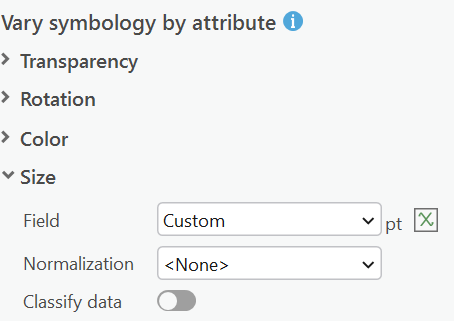
setting the size by a field expression. Example of expression
var scale = $view.scale;
if (scale < 100) {
return 12; // Max size when zoomed in, smaller than before
} else if (scale < 250) {
return 11;
} else if (scale < 500) {
return 10;
} else if (scale < 1000) {
return 9;
} else if (scale < 1500) {
return 8;
} else if (scale < 2000) {
return 7;
} else if (scale < 2500) {
return 6;
} else if (scale < 3000) {
return 5;
} else if (scale < 10000) {
return 4;
} else {
return 3; // Smallest size when zoomed out
}
Result: Orange styling in the web map (is this some kind of error?)
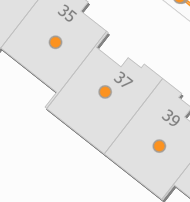
- Tried scale based sizing within the symbol
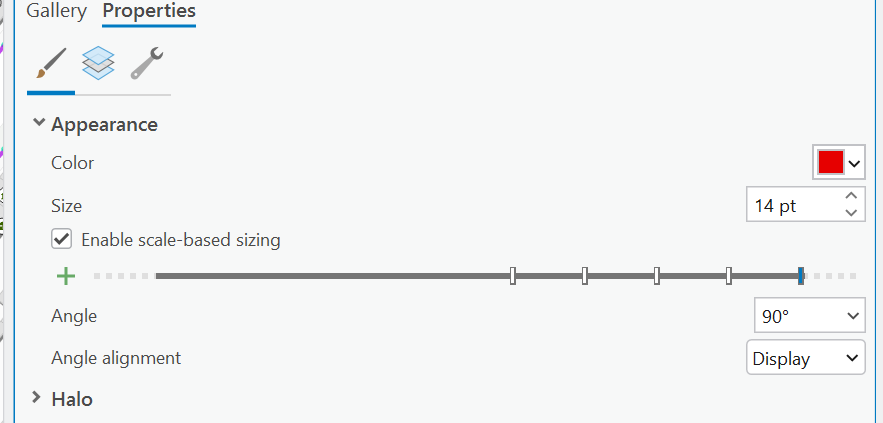
Result: No orange symbology anymore but no difference when zooming in or out in the web map.
- Tried the scales option within the Unique Values screen
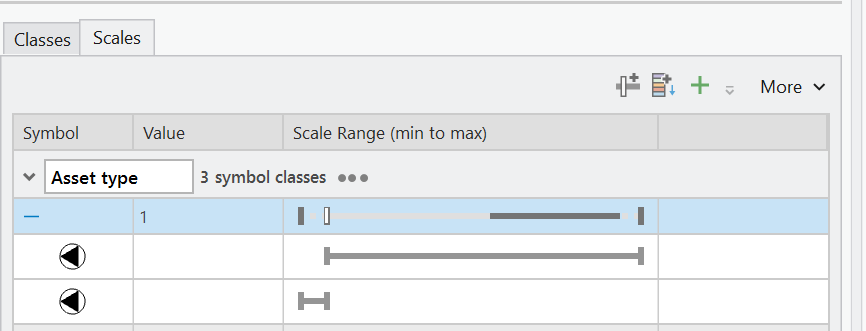
Result: Same as method 2
As of now i don't have any other methods of setting the symbology scale for web maps based on group type layers. Normally you would be able to 'fix' whatever goes broken when deploying a web map via ArcGIS Pro but that seems not possible for subtype group layers.
Also tinkered a little bit with setting the subtype group layer on the feature layer level as the symbology there seems more stable/better. However, creating the subtype group layer there results in losing all domain translations for all fields :'(
