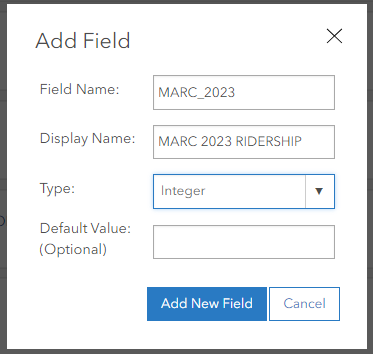
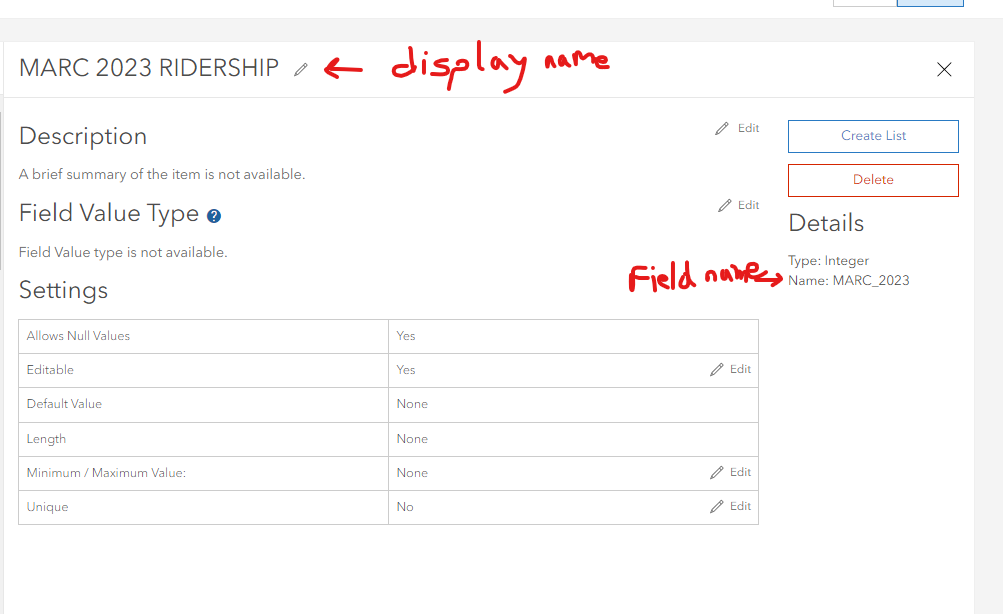
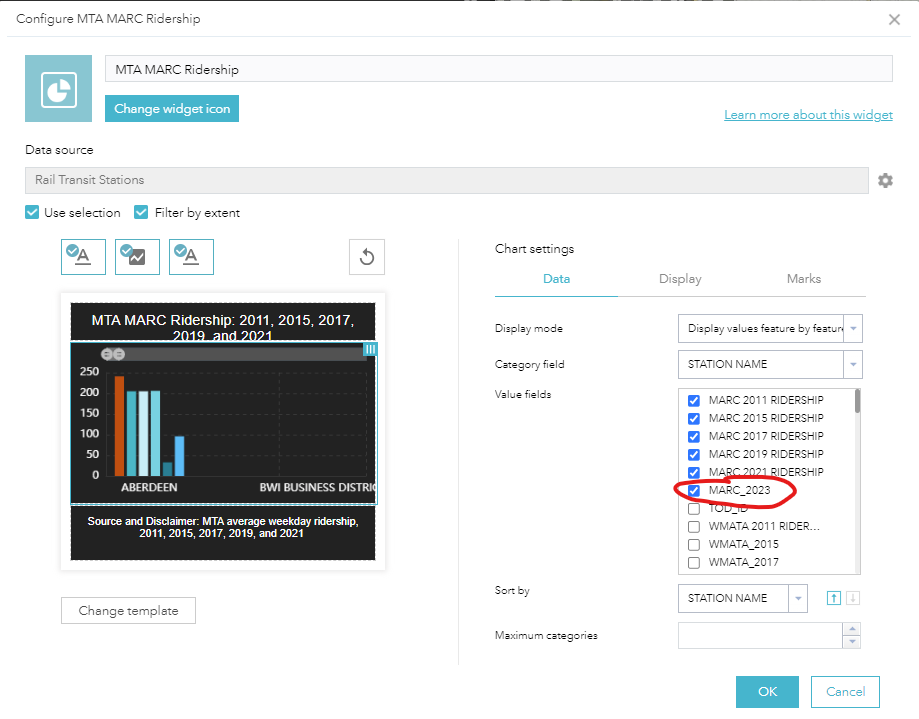
ホスト フィーチャ レイヤーにフィールドを追加し、「フィールド名」と「表示名」の両方を入力しました。しかし、Web AppBuilder で棒グラフを設定すると、「表示名」ではなく「フィールド名」が表示されます。チャートには「フィールド名」がラベルとして使われていますが、「表示名」はフィールドのエイリアスとして機能するはずなので、これは正しくないように思います。同じ現象に気づいた方はいらっしゃいますか?ご協力いただけると助かります。
Hi @ScottHansen__MDP_
I have tried to replicate this and I am unable to I see the display name where you have highlighted in the third screenshot.
When you added the new field was the web app builder already created? If so can you make a new web app builder to see if the issue is persistent? I would remove and readd the web map if the issue is not happening in a new project.
What about Experience Builder does the same happen here?
If you look at the third screen capture, what I circled in red is the field name, not the display name. The display name should appear if it worked as intended. I have not tried to replicate in Experience Builder, as Experience Builder does not have full functionality that I need. ESRI was able to duplicate the issue, so I believe this is an issue with AGOL and not with WAB or ExB.
サインインすると、投稿したり、更新をフォローしたりできます。初めての方ですか?無料アカウントを登録しましょう。
Find useful guides, FAQs, and documents to help you navigate and make the most of Esri Community.