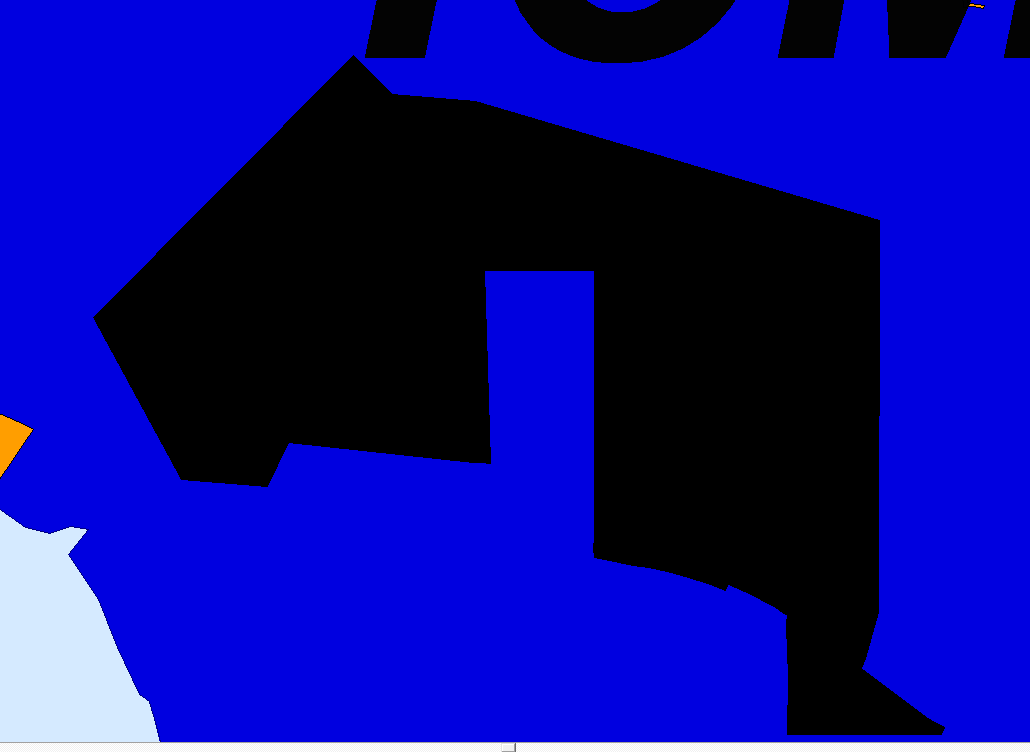
私はCentralsquareのOneSolution CADのレスポンスレイヤーを更新しようとしていますが、なぜかポリゴンの半分が黒くなり、ジオファイル変換プロセス後に認識されていません。トポロジーやその他の部分が正しいことを確認するために、レイヤーを最初から作り直すところまでやりました。これまでに数週間取り組んでいますが、手がかりはありません。誰か同じ問題に遭遇したことがありますか?
Our I.T. Admin did that yesterday, so we're playing the waiting game as well.
Yeah, I've had cases with them that have been open for years before finding a resolution. It's bad enough their mapping platform came from the late 90's. You might have to escalate the case to get any progress.
Yeah, we already contacted Central Square. They said it was a problem on our end, and I've ran through about every option I have for modifying the data. This is one of our response driving layers, and the only layer having this issue. The CAD programming still recognizes that something should be there and pulls the run card, but you can't see the polygon. I'm not sure how far back this error goes because I found it during an audit.
If this is a new area you'll have to check the layer display settings in MapSet to include it. To do so, in MapSet, add the layer to your map. Then, click Options > Layer Display Settings.
In the Layer Display Settings Window, click the Polygon tab, then click the Select button under Color Classify.
You can verify the colors here. I usually click Apply Random Colors.
If that doesn't work, you might have to call Central Square support. MapSet is so awful I usually have to anyway.
サインインしたメンバーは投稿、更新のフォローなどができます。初めてですか?無料アカウントを登録してください。
Find useful guides, FAQs, and documents to help you navigate and make the most of Esri Community.