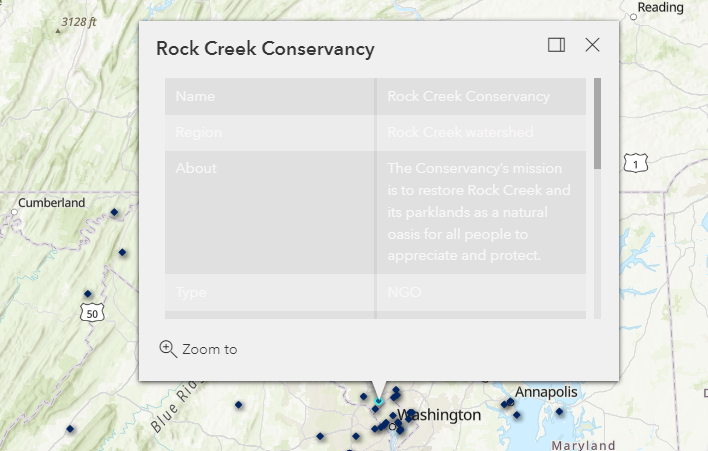
Experience Builder を使ってこのマップを作成しました。マップ ビューアーでポップアップの内容を設定できます。ただ、ポップアップの色を変更する方法はありますか?デフォルトの色では内容がほとんど読めません。(コーディングの提案はご遠慮ください……私には難しすぎるので 😸)
アドバイスをいただけると助かります!
DMV! 🙂
Not on the experience builder team but from my use you can adjust the styling with tweaking the colors used I think you need to tweak the color styling themes here:
https://doc.arcgis.com/en/experience-builder/build-apps/change-app-theme.htm
Thanks! I took it off the organization's theme and was able to edit it enough to be legible.
Thank you for sharing this. I've had a similar issue with a popup, and it's been driving me nuts for weeks.
ログインすると、投稿したり、更新をフォローしたりできます。初めてですか?無料アカウントを登録しましょう。
Find useful guides, FAQs, and documents to help you navigate and make the most of Esri Community.