Hello,
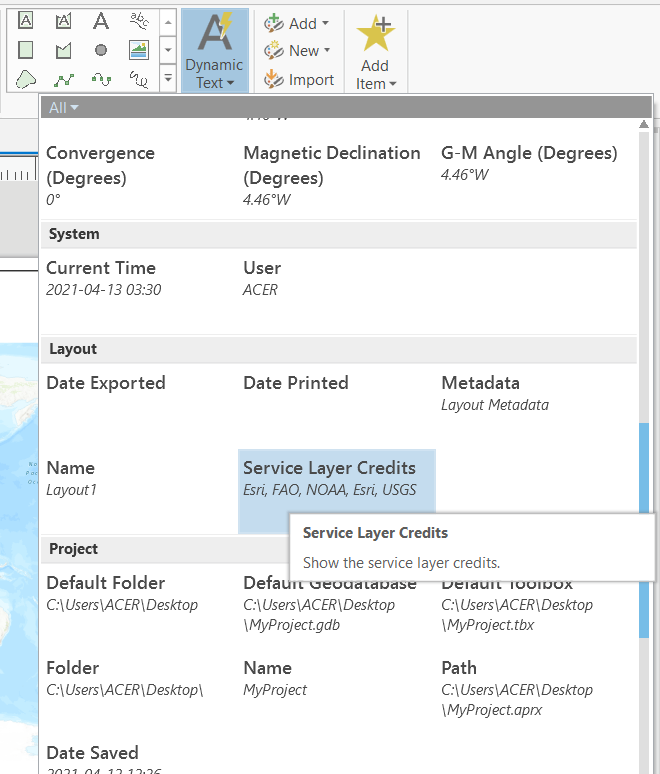
How do you remove the Service Layer Credits in ArcPro?
In ArcMap (Insert> Dynamic Text> it highlights and you can remove the layer credits to the side).
I can't do this workflow in ArcPro.
You can do this in Pro! This video shows you where the option is: https://www.youtube.com/watch?v=Zm96Qiy8gy0
In the video the cartographer restyles the credits, but you can also turn off their visibility in the Contents Pane while working on your layout.
Thank you!
Dynamic Text> Click and pull to the side!
It is also similar to ArcMap. You should be able to move the Service Layer Credits outside the Map Layout.
1. Go to the Insert tab2. Click on Dynamic Text3. Scroll down and click Service Layer Credits (under Layout header).4. Select the Service Layer Credits on the Map Layout, if required. You should be able to move the service layer credits now.
Oops! Too late 😅
John is hilarious. He creates great content.
However, i am noticing that the basemap credits are Repeated for Every Map Frame, even if they use the same basemap. This means I get repeated Credits; multiple Esris USGSs, etc. etc. See attached screenshot
Can logic be built into this function to NOT repeat sources? If creditvalue is in list, then don't add to list?
Thanks for considering! #notAMonster
NOT repeating sources would be great! I just ran into this issue.
Nope - this example is ArcMap, not Pro. In other solutions the description is just plain wrong. Here is the answer in ArcPro:
Here is the answer in ArcPro:
The detailed step-by-step is great. There were a number of helpful responses on this post, but this is the one that I found most useful. Cheers.
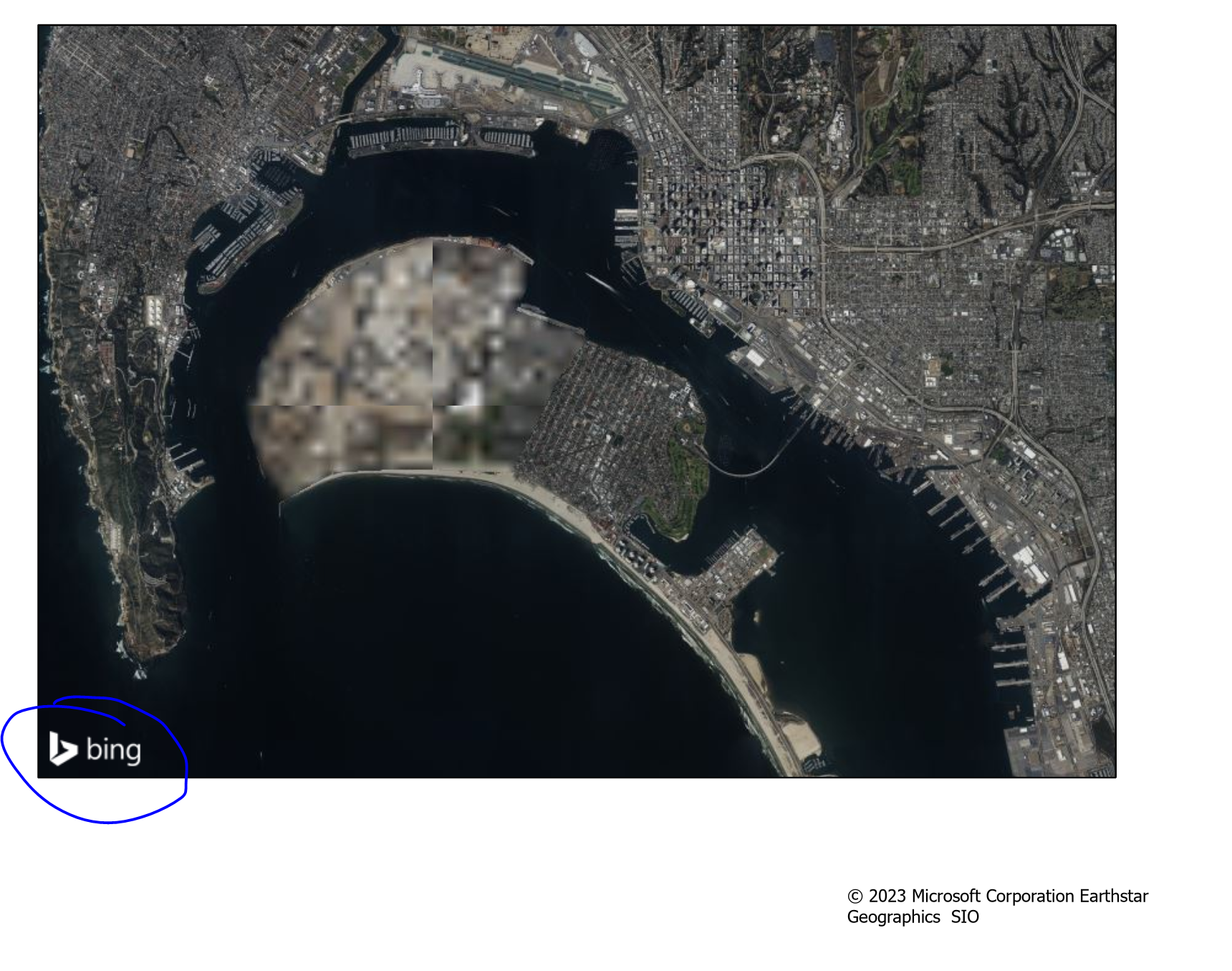
I am using Bing map as a basemap, after recent update of ArcPro to 3.2, I can not remove Service Layer Credits, any ideas? Thanks!
It might be helpful to add this as a new question so more people can see and comment on it. Also can you provide a screenshot? In 3.1 and 3.2 it's working for me 🙂
I should be more specific, I can not remove Bing logo from the layout. We did the update yesterday afternoon, all of the PDFs that I exported in the morning are ok, removing service layer credits took care of the logo too, but not after the update. Bing logo is just sitting in the corner. 😭
Oh, the logo. That's a little different. It's a watermark on the basemap and can't be removed. If you were seeing it removed previously that would have been an error.
@JScottLane THANK YOU!!!
I'm using 3.3. I follow the steps to move and update the citations. And the default one pops back into the map. The default one is not correct. It defaults to Mapbox and OpenStreetMap no matter what layers you are using or what Basemap you select.
That's interesting. I'm not sure why that would be happening, I haven't seen that kind of behavior before. I'm sorry you're dealing with it! I recommend reaching out to technical support as they are better equipped to troubleshoot this, it could be a bug.
Thanks. I think I may have solved the popping back up. If you move the Service Layers citation and delete the Service Layers in the text box, then it will pop back up. If you just move it to the side and leave as is, you can create a new citation text box. G
Oh yes, the service layer credits must be included as text in the layout view. You can have them off page, the text element turned off, or the color changed to clear though.
How does this apply to web maps? If I open them via portal in Arc Pro, then create a layout, it opens in a new window. Since the layouts are not responsive, I deemed this option as a no go. However, you state that you do not activate the layout. Am I able to remove or alter the data source credits on a webmap utilizing layouts and dynamic text for web maps that are used in Instant Apps and Experiences?
I'm glad you found this useful; thank you.
This was the best explanation, thanks very much for the clear instructions!
サインインしたメンバーは投稿、更新のフォローなどができます。初めてですか?無料アカウントを登録してください。
Find useful guides, FAQs, and documents to help you navigate and make the most of Esri Community.