I'm trying to add URL's to an online document that will scroll to a specific page of the document depending on the feature selected. This is all based on building zones, for example, if an 'R1' Zone is selected, clicking on the URL in the pop-up will scroll to page 108, if the 'CC' Zone it will scroll to page 152, and so on.
I know that it's possible to put in a single URL using the method in the image below:
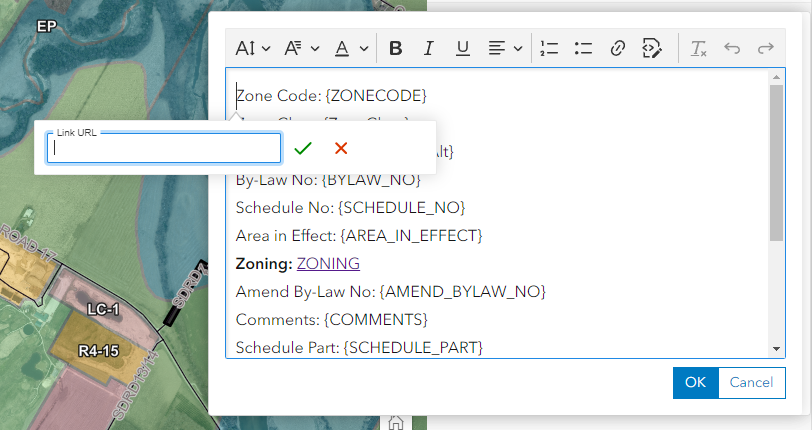
But that doesn't allow for URL variation depending on the zone. For example: '<baseurl>' + '#page=108'
When I attempt to create an Arcade expression to allow for this, it just adds the URL as text, instead of being a clickable link. I also am unable to use HTML code in Arcade, so I can't figure out how to make it a word (Ex. Click Here) instead of the entire URL.
Below is a really simple test expression I wrote to see if the link would work and the result in the pop-up.


Does anyone have a work-around for this? Am I missing some built-in functionality?
Any help is appreciated!



