Hello,
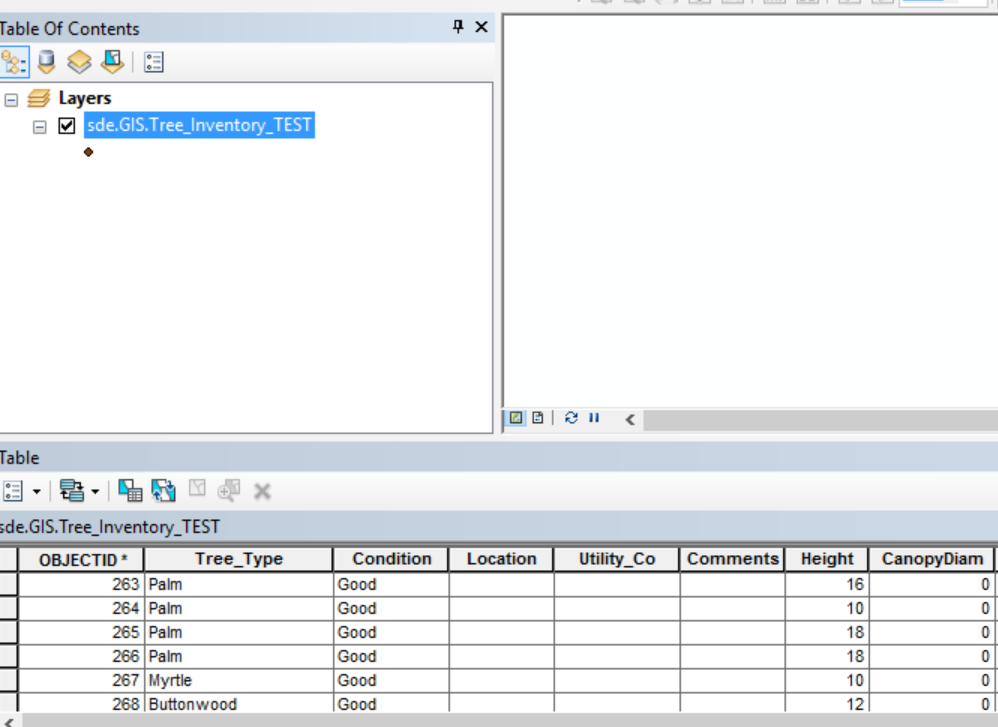
I have ArcMap 10.5.1. I had point feature layers display on ArcMap for like a month. But now my point feature layer drawing (SDE) is no longer displayed. It is like disappeared. But my attribute table info is still there. How can restore the drawing point feature layer? Please advise! Thank you!
Any 'Shape' field? If there is, right-click on the layer and select 'Zoom to Layer'. If there isn't, load a backup, the geometry may have been deleted or it was joined to something else and it wasn't loaded.
Try exporting the layer to a File Geodatabase. If the Feature class of the File GDB gets displayed properly, you could export it to SDE database.
I tried zoom to layer and nothing happened. It is still blank white screen. I will check out with back up. I am aware there is SQL back up. Is there a way get back up thru Arctoolbox or is it have to get in SQL?
I will check this out as well.
Also, yes . it has shape field point.
Check the spatial index of the feature class. It may need to be rebuilt.
I tried it and it wasn't success.
Please confirm if this is the step I should do. I found this link.
Rebuild a spatial index—ArcGIS Help | ArcGIS Desktop
Sure that should work. Make sure you connect as the data owner in ArcMap. You can also rebuild it via the feature classes connection properties.
Please see screenshot.
You can do it that way! Just make sure there are no locks on the feature class and you connect as the data owner.
Thank you. Yes. I am the data owner. It is not lock anymore. I am reading the document so I will click recalcuate for SQL.
It wasn't success. It is still not display. Also, tried to restore the back up but DBA told me this layer has no record as well. This is so odd.
Could you zip and attach the FGDB you have created (using Data Export)? Let me review it.
How do I attach it here?
Les membres connectés peuvent publier, suivre les mises à jour, et plus encore. Nouveau ici ? Inscrivez-vous gratuitement.
Find useful guides, FAQs, and documents to help you navigate and make the most of Esri Community.