Hi,
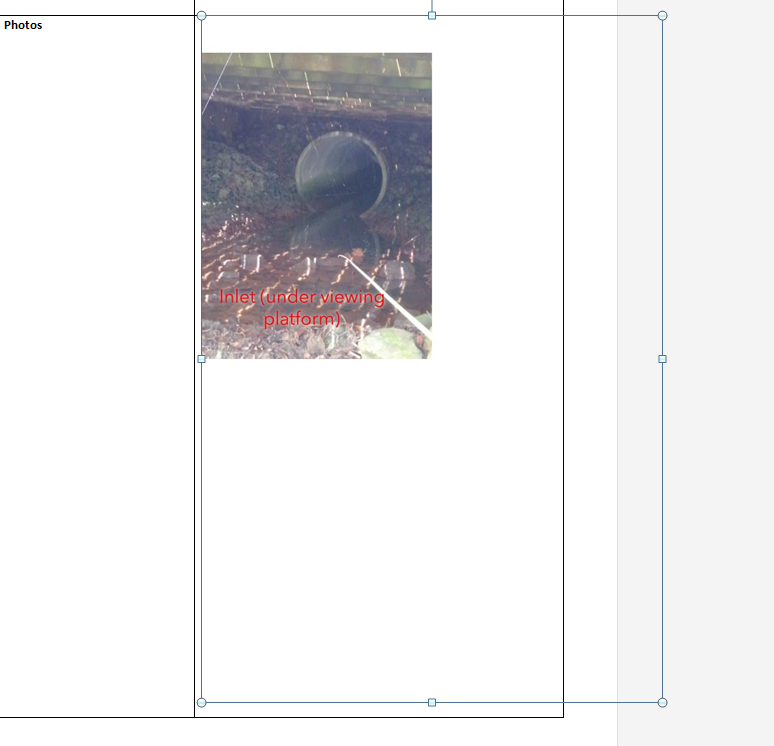
I have created photo annotation in my survey. As I am interested in the reporting using my custom template.The issues I am facing are once the photo annotated it can be changed after submitting the record and when I am trying to print the report the photo comes out with the big white canvas at the back. So to delete the canvas we have to manually crop the photos. Is there anyway to get the rid of this?
Thanks,
Anu
Hi Anu,
What version of the app and on what device was the annotate image captured in, was it 3.2 on a new iOS device? If so there is a bug on iOS with 3.2 where the image did not fill the entire canvas. This has been fixed in 3.3 beta available on EAC here Welcome to our Feedback Community and will be released at end of the month.
This could explain why the image inserted onto canvas is not the same size as canvas.
Phil.
Hi Phil,
Thanks for the reply. I am using the 3.2.265 and its on the android device (Samsung 6 edge). So the bug is only for iOS
or for all? And in new release we can see the changes
Also I have noticed for android device previously photos used to get saved under gallery - my survey attachments but I cant find it now with the new version. Has the photo storage place changed?
I will surely try beta version but any updates on implementing photo editing in sent and Inbox folder?
I just tested the public 3.2 release of the android app and also the 3.3 beta release on EAC and both when I select photo from the camera or the browse the android gallery and select photo, they are both copying the photos to the "My Survey Attachments" folder and are available to select again. This hasn't changed so please let me know if still having that issue.
There is currently no timeline on editing photos and attachments in Sent and Inbox, but it is in the backlog for feature enhancement in the future.
As for the canvas size and the photo inserted, when you took it in the app did it look ok, so is it only in the report it looks small int he corner? What about if you download the image from AGO as an attachment?
I have to restart my phone to view the photos in My Survey Attachment folder. Another thing I have noticed is just to test the photos I have took one sample record and its been half an hour but I still cant find my photos added to the folder. Is there any time frame on this?
The canvas is on app too, it just varies in a way how I hold my camera to take a photo e.g. if I keep the camera in portrait the canvas part is not that big but if I take the photo in landscape ,I can see big patch of canvas above and below the photos. I have attached the screenshot below respectively for portrait and landscape.
Les membres connectés peuvent publier, suivre les mises à jour, et plus encore. Nouveau ici ? Inscrivez-vous gratuitement.
Find useful guides, FAQs, and documents to help you navigate and make the most of Esri Community.