Hello,
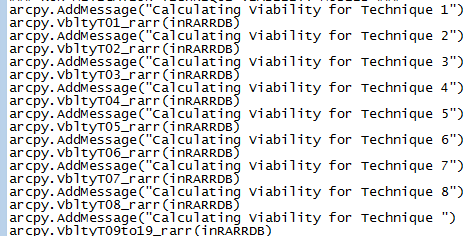
I have created a custom tool box that contains several tool sets an lots of individual models (see screenshot. To be able to batch run many of the individual tools, I have create a several simple script tools that basically run a series of the models in sequence.
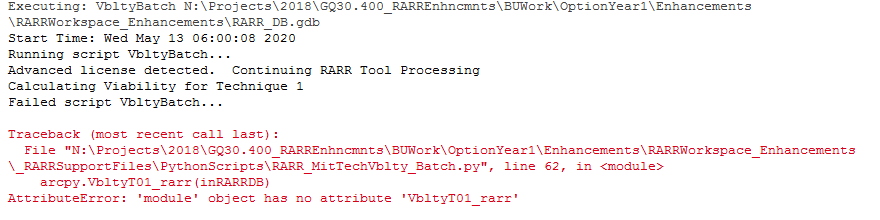
Even though my script tools are withing the same overall toolbox, it seems in order for ArcMap to recognize and run my custom models I have to import the toolbox first (using ImportToolBox) before running the scripttool If I dont, I get an error about 'module has no object'. I can work around this by importing the toolbox, but when sharing the tools, this can create some confusion if I hard code a path
My main questions are:
- Is there a better way to handle this so I dont have to import toolbox explicity within script with a path to the custom toolbox
- Why would you have to load the toolbox if it is already loaded within my ArcMap session and I am calling the script tool from the same toolbox?
Any insight would be greatly appreciated
Thanks!
Neal