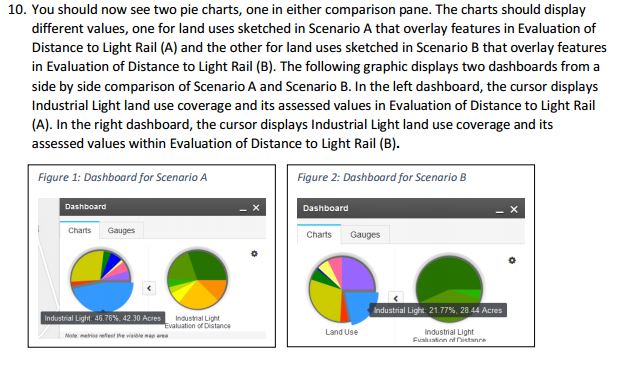
I am following the Geoplanner tutorial in Exercise 4 (http://resources.arcgis.com/en/help/geoplanner/tutorials/Exercise4-ComparingAndEvaluatingAlternatives.pdf)). On page 7, I am supposed to set up the dashboards differently for Scenario A and Scenario B in the side-by-side comparison. I am supposed to set this up:
- (left scenario) Primary chart: Land Use || Secondary chart: Evaluation of Distance to Light Rail (A)
- (right scenario) Primary chart: Land Use || Secondary chart: Evaluation of Distance to Light Rail (B)
However, when I try to change the secondary chart for either dashboard, both dashboards change. I am unable to look at both evaluations at the same time.
I know the dashboard has been updated since the tutorials were written. Is there another way to go about this comparison?
Thanks,
Keely
Here is an excerpt of the Tutorial step: