I want to identify only those layers that have been toggled on and ignore those layers that have been toggled off in my web app. I am using the LayerList widget that sets up the checkboxes behind the scenes. I have tried three different approaches.
My first two efforts (see the attached .gif documents):
1. using jquery
2. using the function called updateLayerVisibility(), where ".esriCheckbox" is the class name I obtained from the LayerList.css when I downloaded it from the LayerList widget web page.
3. Lastly, I tried using the updateLayerVisibility() function, by somehow accessing:
myWidget.layers.visibility==true. Essentially, I was trying to check the visibility option on each layer that I set up in the LayerList widget to see if it had changed after the layer was toggled on or off in my web app.
a. var inputs = query("#layerListDiv");
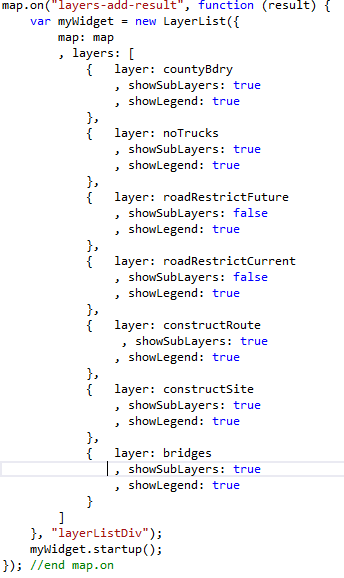
Here's my LayerList:
Here's my layerListDiv:
<div data-role="panel" id="ui-settings-panel" data-theme="a" data-position="right" data-display="overlay" data-position-fixed="true" style="overflow:scroll">
<ul data-role="listview">
<li id="layerListDiv"></li>
</ul>
