Hi,
I have an ArcGIS Mobile project with a replica. I sync from my gps device to server once I have internet. This was working fine until my SSL certificate expire and we install a new one.
My services are secured and my gis mobile project is created reading this secured services.
Every time I want to sync my new data I got this error.
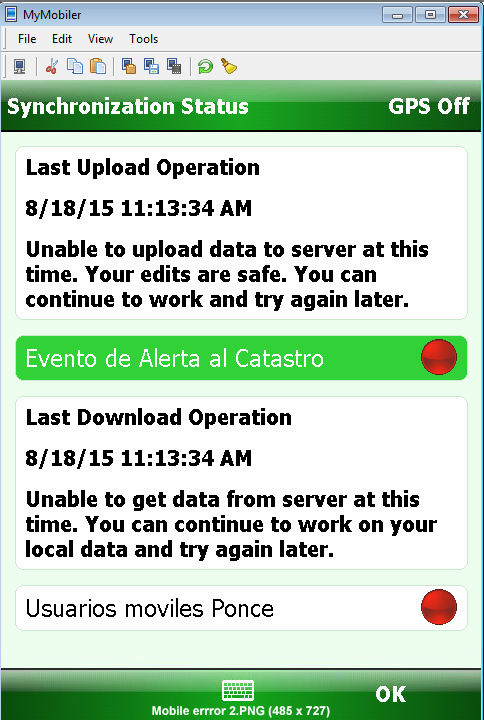
I also got this
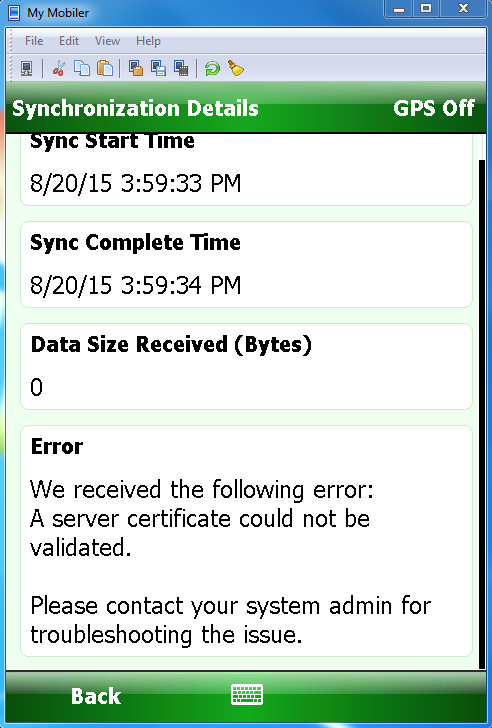
I download and installed my new certificated following the steps from this help page. ArcGIS for Windows Mobile
I tried to use a web browser to checked if I can go through the certificate I got this message
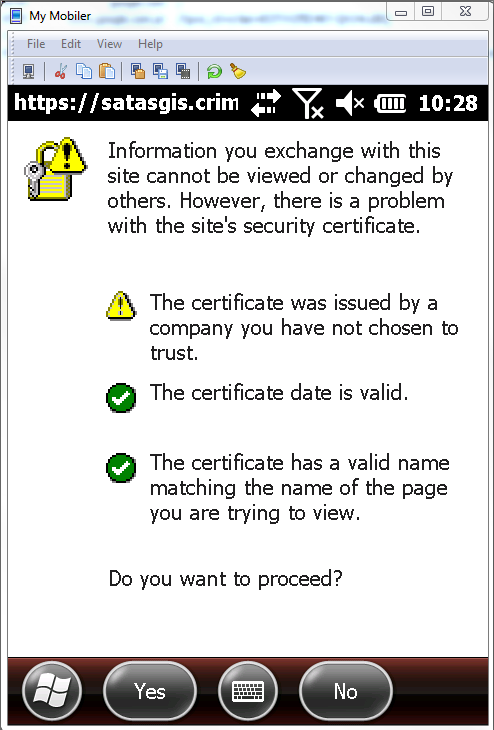
Once I clicked I want to proceed I was able to use my certificate.

When I want to sync my data from Mobile I do not have that option to access via https or at least Mobile do not ask me if i want to proceed, as the web browser. I notice in fiddler that it is trying to communicate to my servier but because I do not have that option the sync fails.

I followed that steps suggested on the web page exporting and installing the certification in the trusted root on the device.
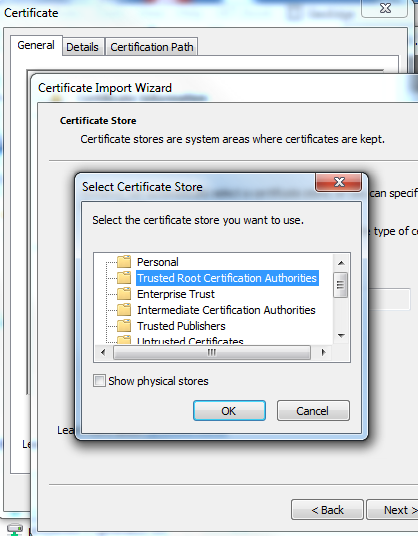
But something is not right because every time I turn off and on my gps and try to access my services using https, I got the same information windows and it suppose to be ignored or pass through because my certificated is already installed as the webpage suggested. I also tried installing ArcGIS Mobile on my desktop and there i am able to sync but not on the device.
am I doing something wrong? any idea? any suggestion?
Thanks for your help!
Diego Llamas


