Hi all,
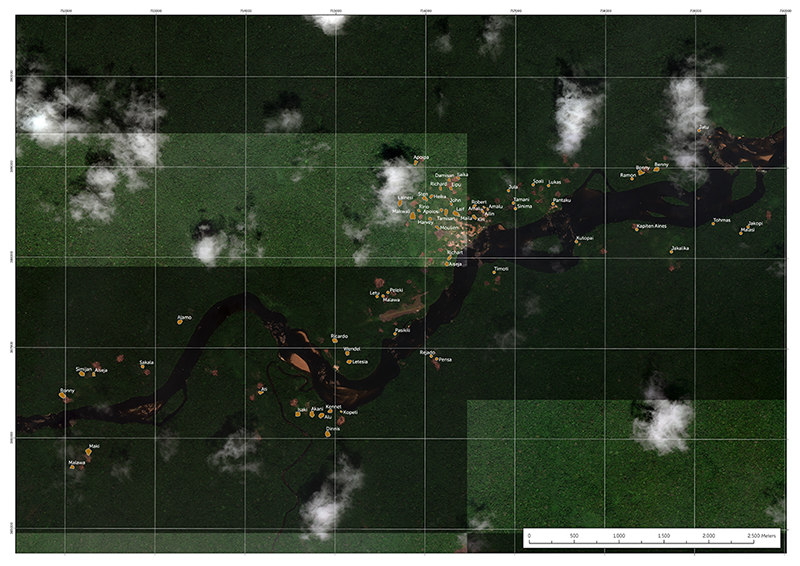
For some time, I've been experiencing an issue where imagery is rendering in a blocky fashion in a 300 dpi TIFF layout export, as per the image below. The imagery is set with certain contrast/brightness/gamma enhancements in Raster Layer -> Appearance -> Enhancements, but only some of the "blocks" will pick up these properties. (In the image below, the brighter "blocks" have the right properties; the other ones are too dark.) Every time I export the layout, different "blocks" end up being exported in the right way than others; it seems somewhat random.
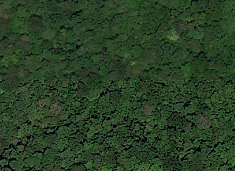
Additionally, even when the "blocks" do end having the right properties, there is a visible difference in how they are being rendered, as per the below example:
I've been having this issue on multiple computers, but currently using the following setup:
- Dell Inspiron 15 7000 gaming edition
- Intel i7-7700HQ CPU @ 2.80ghz
- 32gb RAM
- 64-bit OS, Windows 10
- Graphics card: Ndivia GeForce GTX1060 Max-Q / 6B
- Latest version of Pro (2.1.2)


