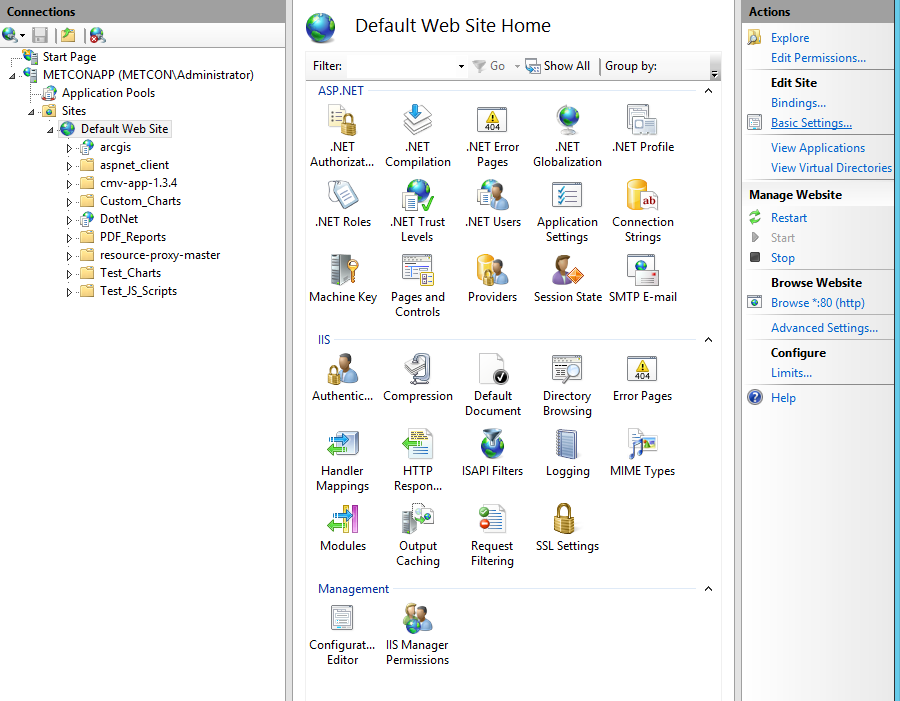
We are running Server 10.3.1. Our router and firewall was reset over the weekend and our website went down. We redirected port 80 to port 6080 (the ArcGIS Server) and our data and maps are viewable on the website again. We can see the REST services directory from the web on http://gis.ourwebsite.com/arcgis/rest. The problem is, none of the other files or directories in our wwwroot folder (which contains the arcgis web adapter) are accessible from that URL. For example, http://gis.ourwebsite.com/file.ext returns a 404 error. We have hyperlinks to these files on our website.
I've tried enabling directory browsing on our default website directories in IIS 8.5, but this hasn't helped. Every folder underneath "arcgis" in this screenshot is inaccessible from the web.