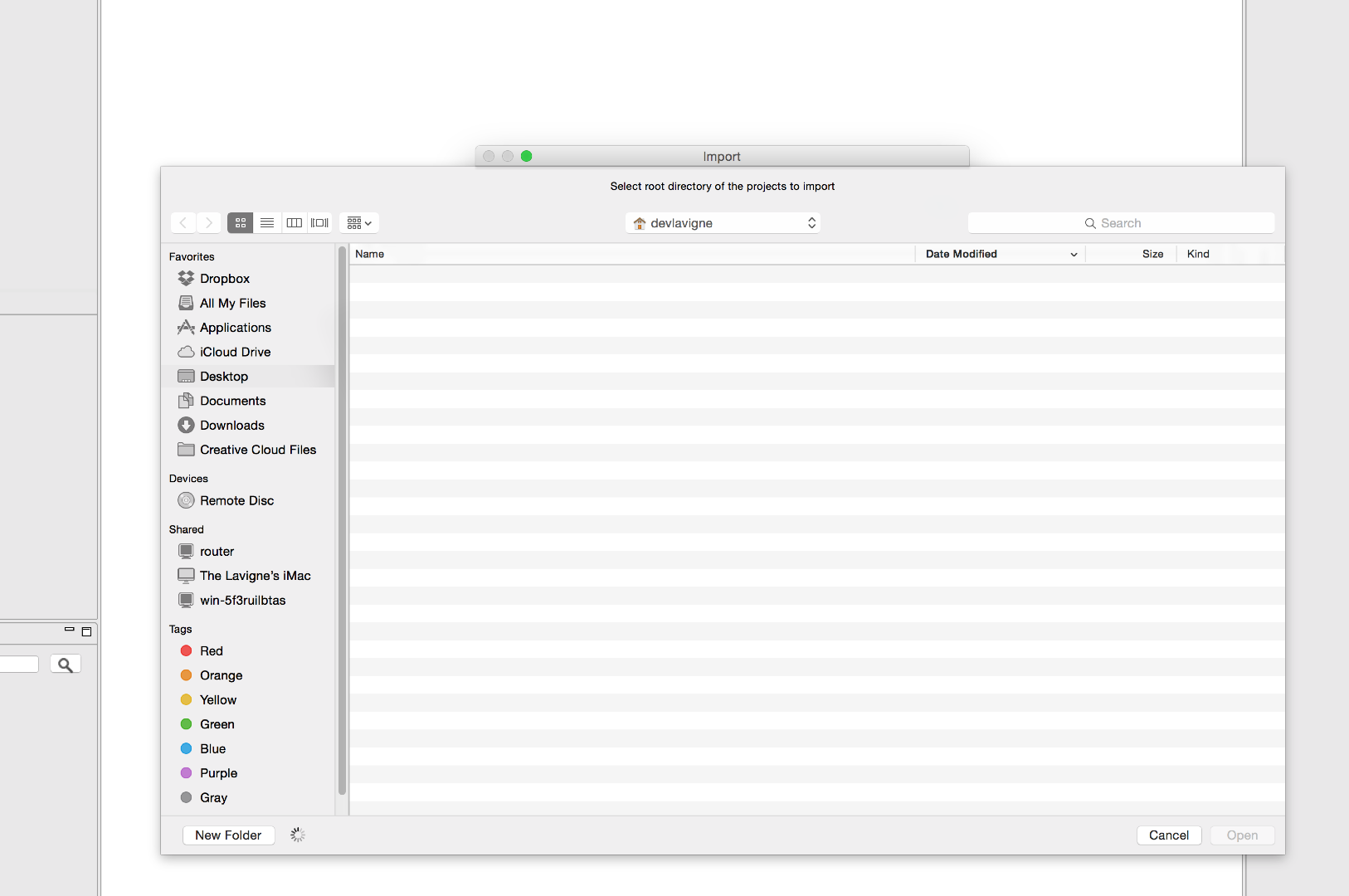
I've recently installed 2014.1 on my Mac running Yosemite and now I cannot browse any directories on my computer from within CityEngine - so its impossible to Switch/Create Workspaces or Import projects or files into a project or workspace. Has anyone experienced this? - All i see is a spinning wheel in the bottom left.
devin,
all i can say is that there is a very high probability that CityEngine 2015.0 will support OSX 10.9/10.10. and we will probably drop 10.7/10.8.
merry xmas,
simon
Simon - do you have any news or updates you could share?
Wow! Obviously not the answer I was hoping to hear. Information I guess I knew before I upgraded to Yosemite. Rolling back an OS is a significant task. Any idea when 2015 is set to roll out? Will there be a beta?
hi
this is a known issue without any currently known workarounds (let us know!). CityEngine 2014.1 (and older) does not support OSX 10.9 or 10.10. at this moment we only support OSX 10.7 and 10.8. we recognize that 10.7 and 10.8 are fast getting out-of-date and plan to support 10.9 and 10.10 for CityEngine 2015.0.
kind regards,
the CityEngine dev team
Hey !
Try this:
Rename the current workspace you are using, so when CE starts, it cannot
find it and gives you the switch workspace dialog. create a new one. if
possible.
If it's not a workspace issue, close CE, go into the CityEngine app
(right-click on app, Show Contents), then search for the '.cityengine'
metadata folder and delete it. you may need to make invisible files visible.
e.g.
http://ianlunn.co.uk/articles/quickly-showhide-hidden-files-mac-os-x-mavericks/
Matthias Buehler
Head of 3D Technologies
twitter: @MattB3D
Les membres connectés peuvent publier, suivre les mises à jour, et plus encore. Nouveau ici ? Inscrivez-vous gratuitement.
Find useful guides, FAQs, and documents to help you navigate and make the most of Esri Community.