Hi everyone... I am trying to create a geoprocessing service on an ArcGIS for Server 10.3 machine... Here is what I have done:
1. Downloaded the Solutions Geoprocessing Toolbox from Github: GitHub - Esri/solutions-geoprocessing-toolbox: Models, scripts, and tools for use in ArcGIS Desktop and Server to suppor…
2. I unizpped the contents of the download...
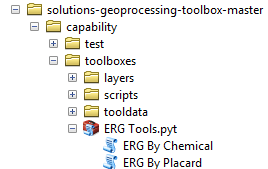
3. In ArcMap 10.4, I accessed the ERG Tools toolbox inside of the "capability/toolboxes" folder of the contents (it is a Python toolbox), and ran the "ERG By Chemical" script tool...
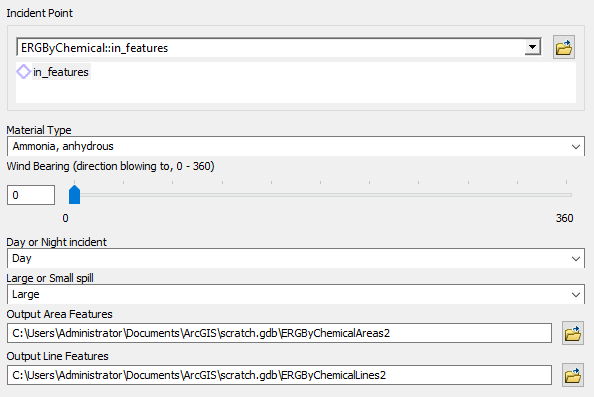
The ArcMap data frame has no contents except for an ArcGIS Online basemap... The tool requires several parameters:
- Incident point - I clicked on the map to create a point
- All other parameters, I used the default values (see graphic below)
The results from the tool's execution are below:
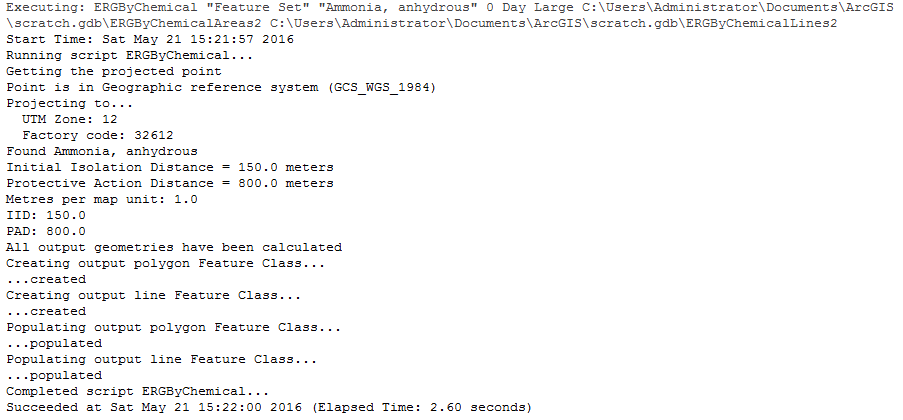
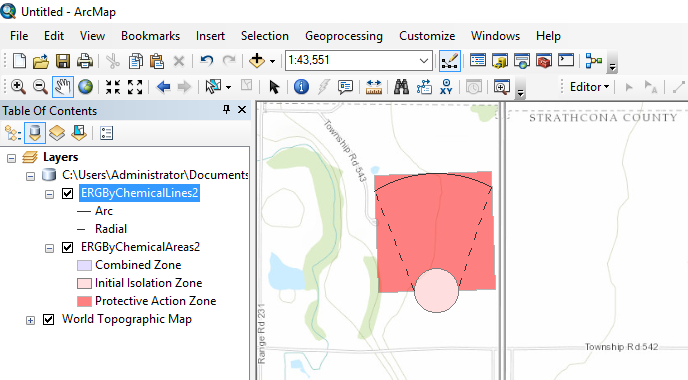
So far, so good...
4. In ArcMap, I signed into my ArcGIS Online account with Administrator privileges... I also added a Database Server connection to another machine with ArcGIS for Server 10.3...
5. From the Geoprocessing Results window, I right-clicked on the successful result to create a new GP service...
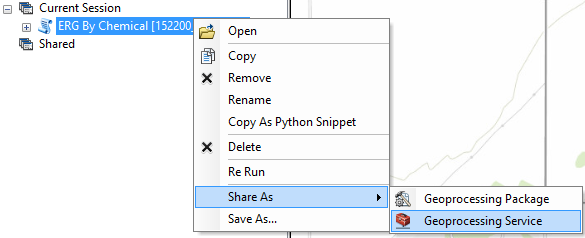
I chose to "publish a service", gave the new service a name, pointed it to the ArcGIS for Server machine... This is the Service Editor at this point:
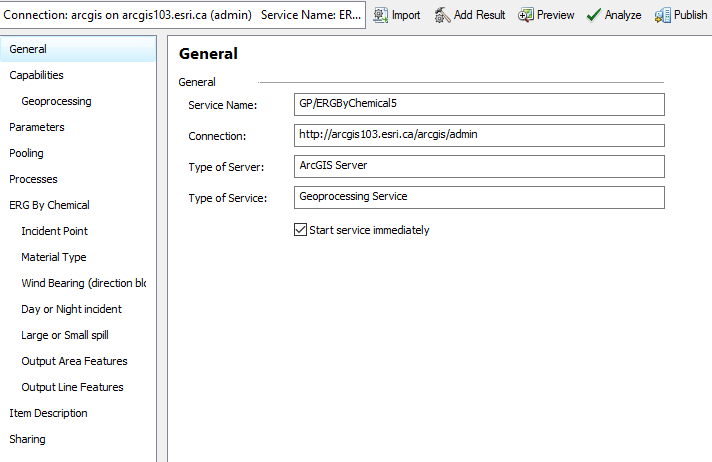
6. From here, I tried several options:
- Checked and unchecked "Uploads" for the Operations Allowed option (Capabilities/Geoprocessing)
- Switched between Synchronous and Asynchronous for Execution Mode (Parameters)
- Checked and unchecked "View results with a map service" (Parameters)
- Sharing: switched between nothing, My Content, my organization and a group
- Left all other settings with their defaults
7. The Preview appeared correct, and for Analyze, no warnings appeared...
8. Clicked "Publish"... After a minute, I get the "Successfully Published Service" message... I was not prompted for anything during the publication...
9. However, when I go to the REST URL for the new service, the service itself is created, but no tasks are published:
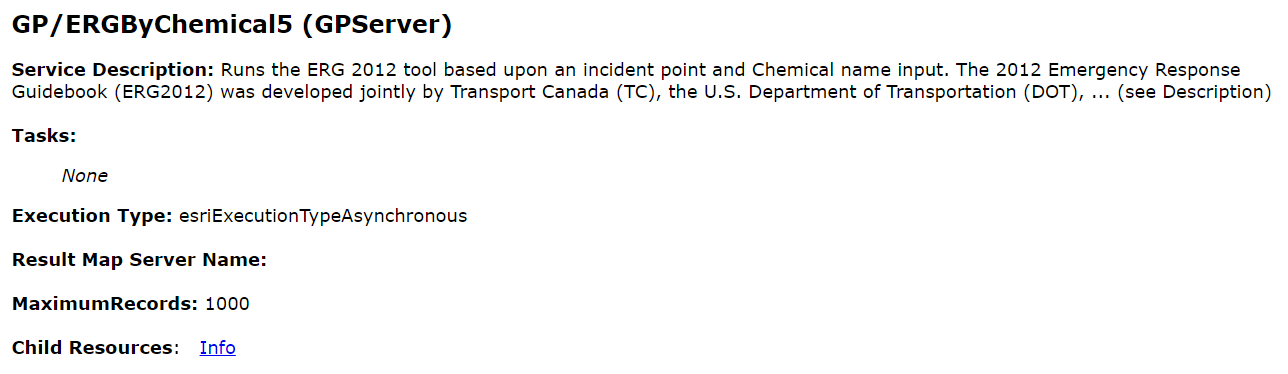
For all combinations of different settings as listed in #6, I get the same result... No task...
Is there a reason why I was unable to create a GP task for this GP service? Thinking that no input data is required beyond a user-defined point, this should theoretically be simple to publish, right? Is there something in the Python toolbox and/or script tool that needs to be modified? Or this there something else that I am missing?
Any insight would be greatly appreciated... Thanks in advance... Mark






