Hello all,
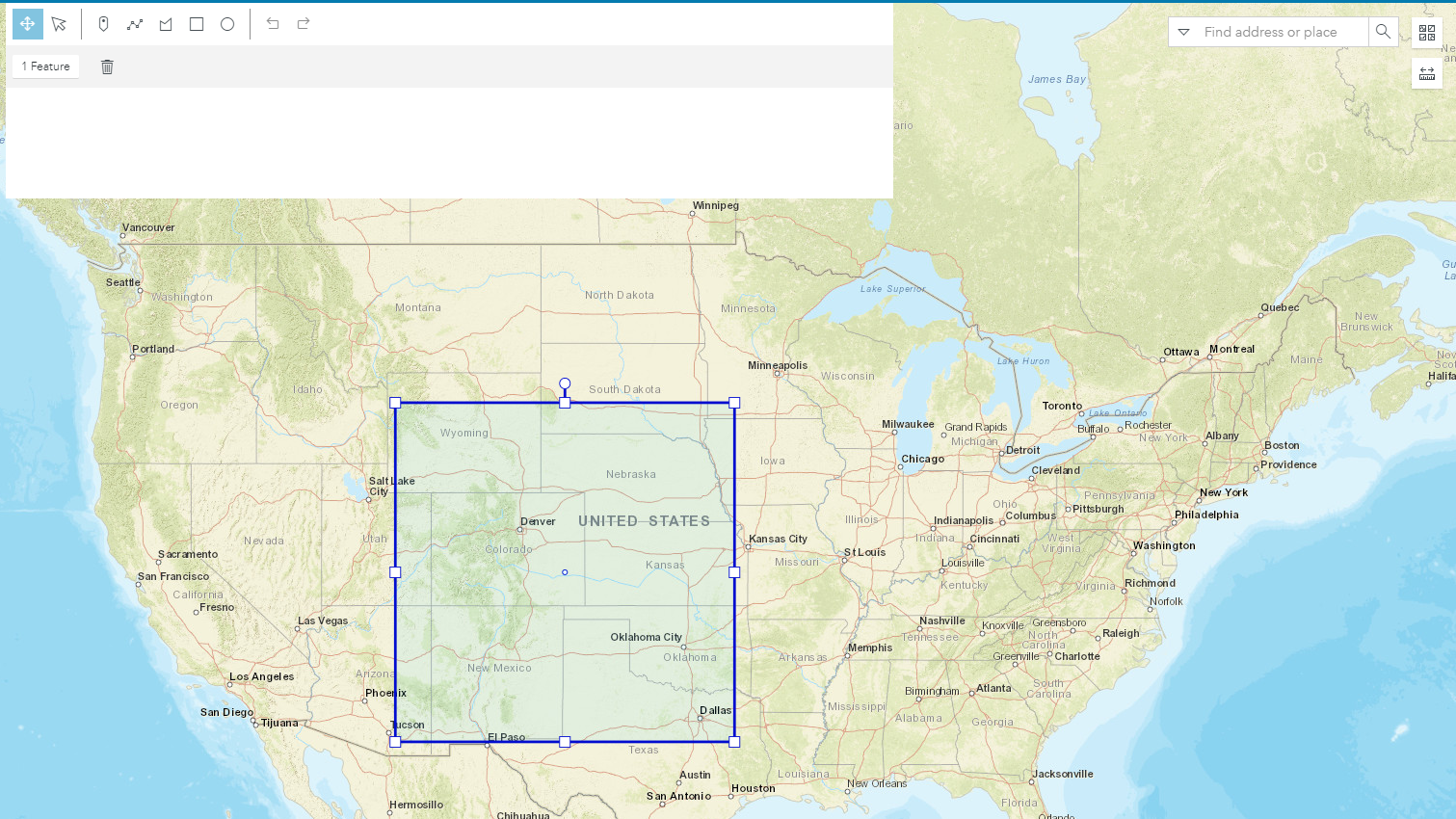
I am working to create a custom widget with the JS API Widget Wrapper by importing the Sketch widget into the "client/your-extensions/widgets" folder of my ArcGIS Experience Builder Application. The widget is working correctly, however, the resulting graphic is not visible when finishing a Sketch. A selection box is highlighted in my Map view but the physical graphic is not visible and cannot be rotated or modified (Image attached below). Please let me know of any possible solutions to this issue.
Thanks,
Henry
Hi Henry Pelesh, It looks like you've added a line:
that is correct, it creates a GraphicsLayer, but you have not added that layer to the map. After that line you should add:
After you add that line, the drawn shape will stay visible on the map after you draw it.
Good afternoon GavinRehKemper.
Can you help me ?
I needed implement this code and I wrote this code with your clue.
But the widget does not show on the screen and doesn't return error.
Gavin Rehkemper,
Thank you very much! I must have missed that line of code. I appreciate your help! Problem solved!
Regards,
Gavin Rehkemper has there been any progress on this? I appreciate you taking the time to help. Please let me know if there is anything more I can provide you with to help solve my issue.
Henry, could you please post your widget code that is not working so we can load it up to replicate your issue? Thanks!
Les membres connectés peuvent publier, suivre les mises à jour, et plus encore. Nouveau ici ? Inscrivez-vous gratuitement.
Find useful guides, FAQs, and documents to help you navigate and make the most of Esri Community.