Is there an Editing tool that allows you to extend one side of an existing polygon by dragging a vertex to a new location but without deviating from its current direction? I see an Extend Length option in the contextual right-click menu but it's grayed out. Plus, I'd like to just drag rather than having to enter an exact distance, but have the edge constrained to its current direction (kind of like the Extend tool for line features).
Example:
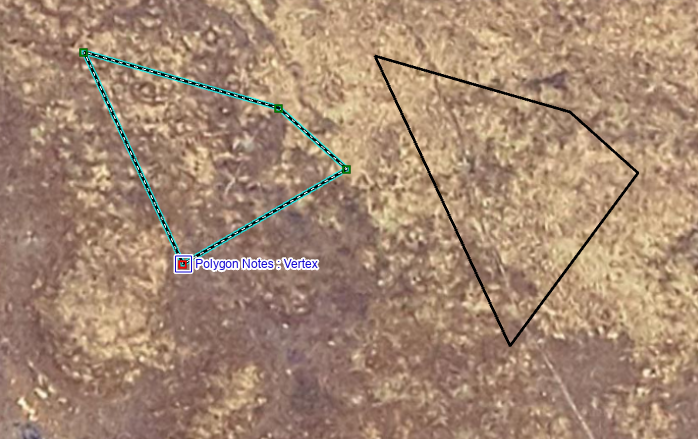
In the example screenshot above, I want to be able to pull that selected vertex further south without deviating from the line's direction, and have the next segment adjust to the new location. I did this to create the polygon on the right by eyeballing it to keep it lined up with the original line's position, but I'm sure it's not EXACTLY the same direction. Is there a way to extend the side along its exact same direction?
The Intersection option in the Reshape tool is almost what we want, but it also extends another segment along its same direction, and that's not what we want. If we have to, we'll do that and then add a split step, but we're hoping there's a single-step option.
Can anyone suggest a tool we don't know about? (Note that we don't have Production Mapping.)

