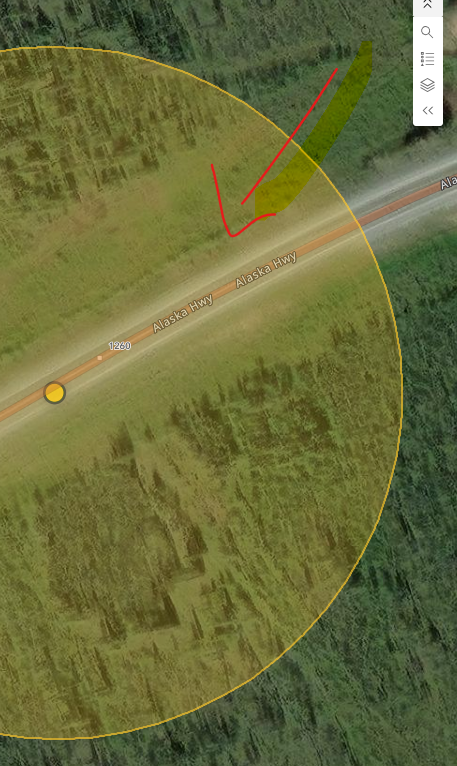
I have a list in my dashboard that filters the map. The map contains multiple geometry types, such as, lines, polygons, and points and when a list item is clicked, the map zooms to and filters for that feature.
The issue I’m running into is that the radius drawn around my point features is extremely large. I’ve adjusted the “Follow Radius” setting (from 50 up to 250) and experimented with the “Follow Color” options, but I haven’t been able to reduce the size of the radius or make it transparent.
Is there a way to change the radius size or make it transparent?