New features:
Sign In and Sign Out
The ArcGIS for Power BI visual now includes dedicated Sign In and Sign Out controls in the Login | Settings area of the Profile pane. This gives you more direct control over your connection, making it easier to manage how you access your data.
Having explicit control is particularly useful if you need to switch between different ArcGIS accounts, for example, moving from a public account to a secure organizational Enterprise account to access private layers. It also ensures that you can quickly disconnect on shared devices to maintain security.
If you are not already logged in or you try to access secure data, a blocking page will appear over the map. This is simply a security measure asking you to Sign In so the visual can establish a secure connection to your specific ArcGIS Online or ArcGIS Enterprise portal.
If you just need to view public content, you can skip the full sign-in by selecting "Continue as guest" to connect anonymously. To keep your workflow smooth, the visual will automatically prompt you to sign in again if your connection token expires. Additionally, if your map includes layers from a different portal, a helpful toast notification will pop up to guide you through the sign-in process for that secondary portal.
Learn more about Sign In and Sign Out options.
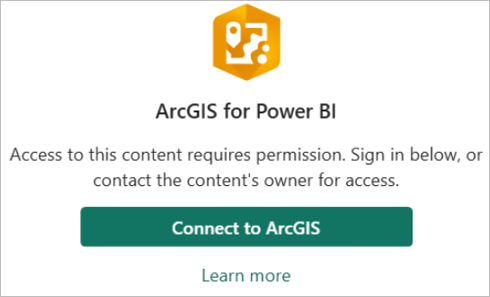
(ArcGIS for Power BI – Sign In support)
Embed and Publish to web validation new experience
The new Embed and Publish to web validation is a major update to the ArcGIS for Power BI visual, designed to streamline how you share reports and eliminate any uncertainty for your viewers.
We have replaced the previous single validation system with two dedicated checks—one for Publish to Web and one for Embed—both accessible through the new Embed tool. This update clearly distinguishes between the two sharing methods: it ensures your private content passes the Embed check for signed-in users, while correctly identifying that the same content must be public to pass the Publish-to-Web check.
To make fixing issues even faster, the updated interface only shows you the specific items that need attention (such as restricted location data, private layers, or premium cards), providing you with precise guidance to get your report ready for your audience.
Learn more about the Embed and publish validation option, which offers a whole new validation experience by separating the check for Embed and Publish to web. This makes it easier for you to understand when a map is ready to embed/publish and how to correct issues.
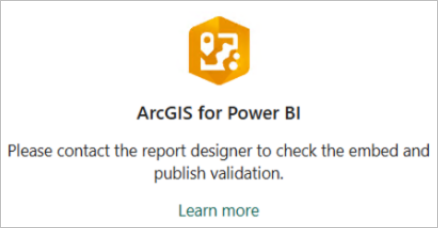
(ArcGIS for Power BI – Embed and Publish blocking page)
Quality of life updates:
Theme JSON as part of the "Embed" workflow
The Theme JSON tool was relocated to a dedicated "Embed" tool. This separates map styling from report sharing, placing it logically between the Analysis and Settings tools for a more intuitive authoring flow.
Note: The functionality is the same as in the previous release.
Learn more about Theme JSON accessible from the Embed tool.
Bug fixes:
- Layer Tool Auto-Open: Fixed an unintended side-effect where toggling the Feature Information setting on or off in the format pane incorrectly caused the Layers and Selection tools to automatically open.
- Disabled Embed Option Interaction: Corrected a UI issue where the disabled option under the "Extract Theme JSON" could be checked/unchecked by clicking on the grayed-out text string.
- Pop-up Configuration for ArcGIS Layers: Fixed an issue where the Pop-up configuration options under Feature Information were not available for some specific ArcGIS layers in the Layer properties.
- Symbol Type Drop-down Menu: Fixed a UI issue where the Symbol type drop-down menu for ArcGIS layers did not correctly display the available options (e.g., Size or Color) after adding fields to the symbology.
As always, we value your feedback and are committed to making ArcGIS for Power BI better with each release. Your suggestions help guide our improvements, and we are excited to bring you these updates to enhance your mapping experience. Please feel free to share your ideas or if you find anything broken or does not make sense.
Stay tuned for future updates, and we look forward to hearing more from you!





