Hi all,
I'm trying to create linetypes similar to autocad. I'm following this how-to:
https://support.esri.com/en-us/knowledge-base/how-to-create-a-custom-linetype-with-text-characters-in-000024352
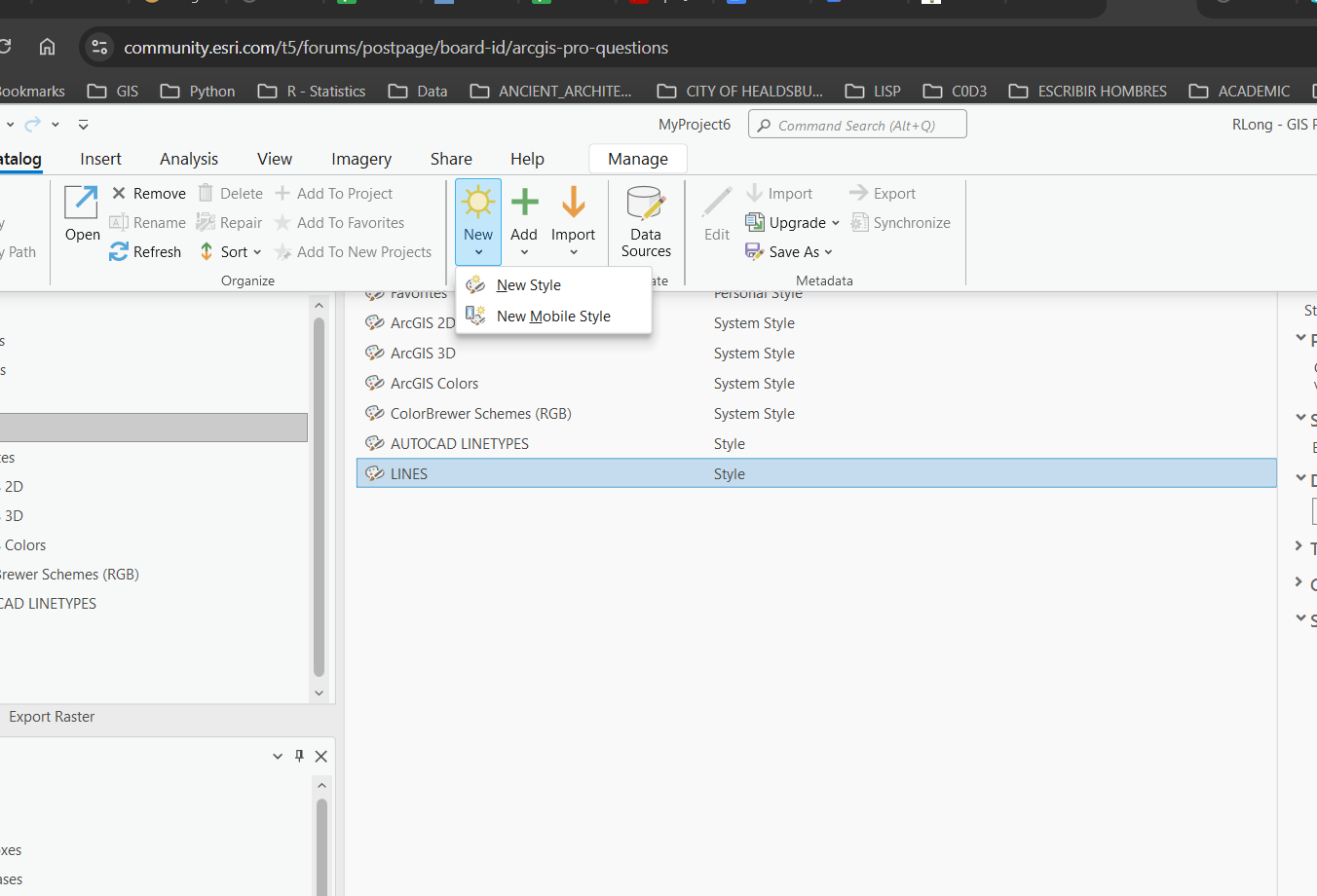
But, when I create a new style, my catalog dropdown doesn't have any features to add:
I've created a style, but I'm not able to select a linetype.
Am I missing something?
ArcGIS Pro, 3.3.2, WIN 11.
Thx,
In your screen grab, the Catalog tab at the top of ArcGIS Pro is active. You need to click the Manage tab towards the right side of the ribbon and in the Create group, click the dropdown for New Item. Then you can create new line styles.
Thanks Robert. That did the trick. The business process for creating custom lines from autocad is a bit cumbersome. There has got to be a better way...
Les membres connectés peuvent publier, suivre les mises à jour, et plus encore. Nouveau ici ? Inscrivez-vous gratuitement.
Find useful guides, FAQs, and documents to help you navigate and make the most of Esri Community.