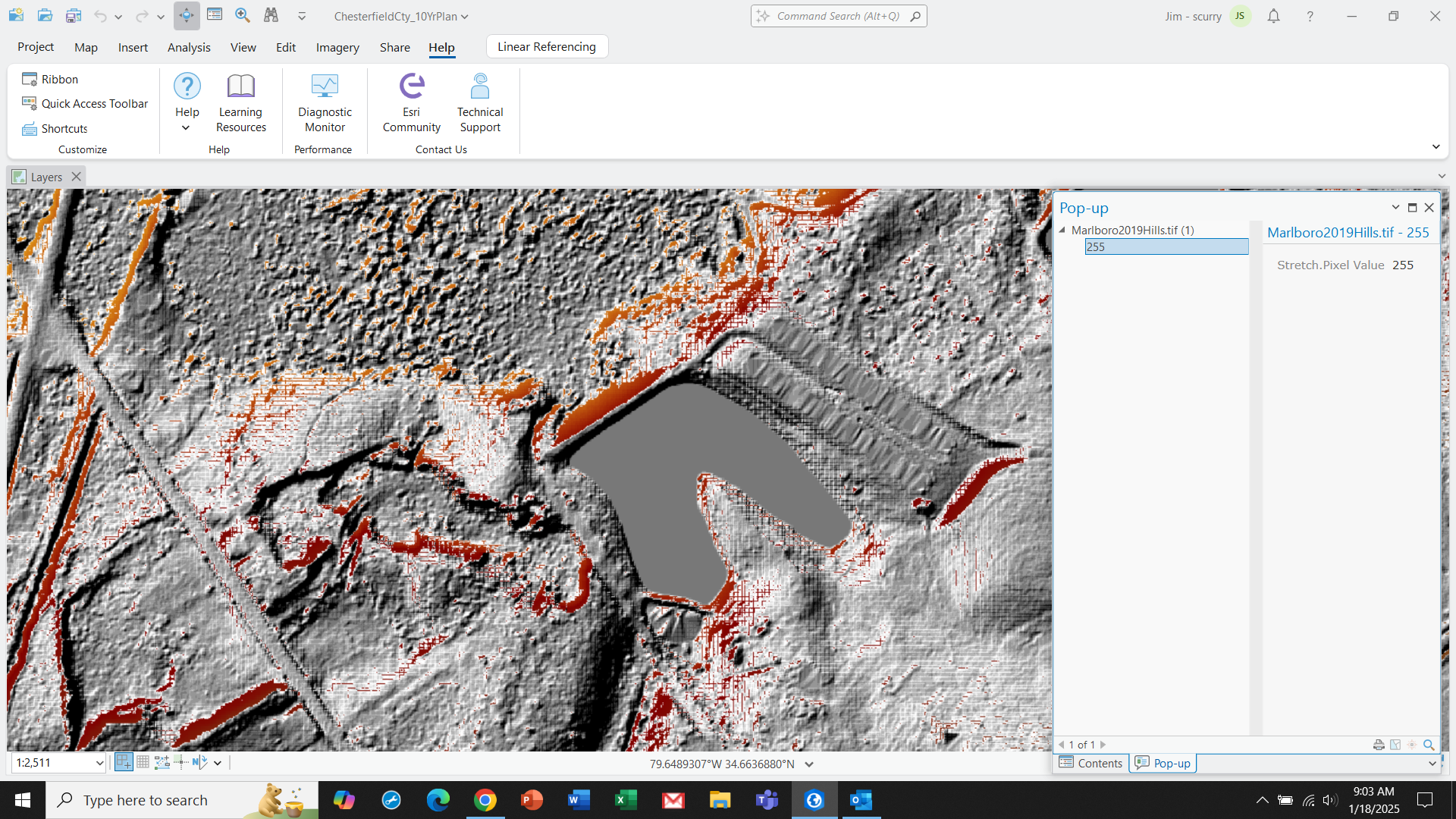
Has anyone had a problem with bizarre hillshade generation in ArcGIS Pro 3.4? I recently downloaded 2019 DEMs from USGS. My previous data was 2008 with both DEMs and hillshades generated directly from LAS point clouds. This time USGS already had DEMs so I figured why go through the process of building a DEM if they already exist?
The DEM seems to be fine but when I generate the hillshade from that DEM, I get a weird waffle iron effect and data voids. The DEM clearly indicates that elevation data are there but querying the hillshade returns a no data value. Below is a screenshot of the DEM shaded red and hillshade in greyscale. As is evident, the DEM shows through the no data areas. Never had this issue before. I tried generating the hillshade from Spatial Analyst, 3D Analyst and the Raster Function and export. I assume they all call the same subroutine but tried anyway, There is no difference.
Has anyone seen this or have any suggestions?
Thanks, Jim