I seem to be having some trouble with the print widget in AGOL's Experience Builder.
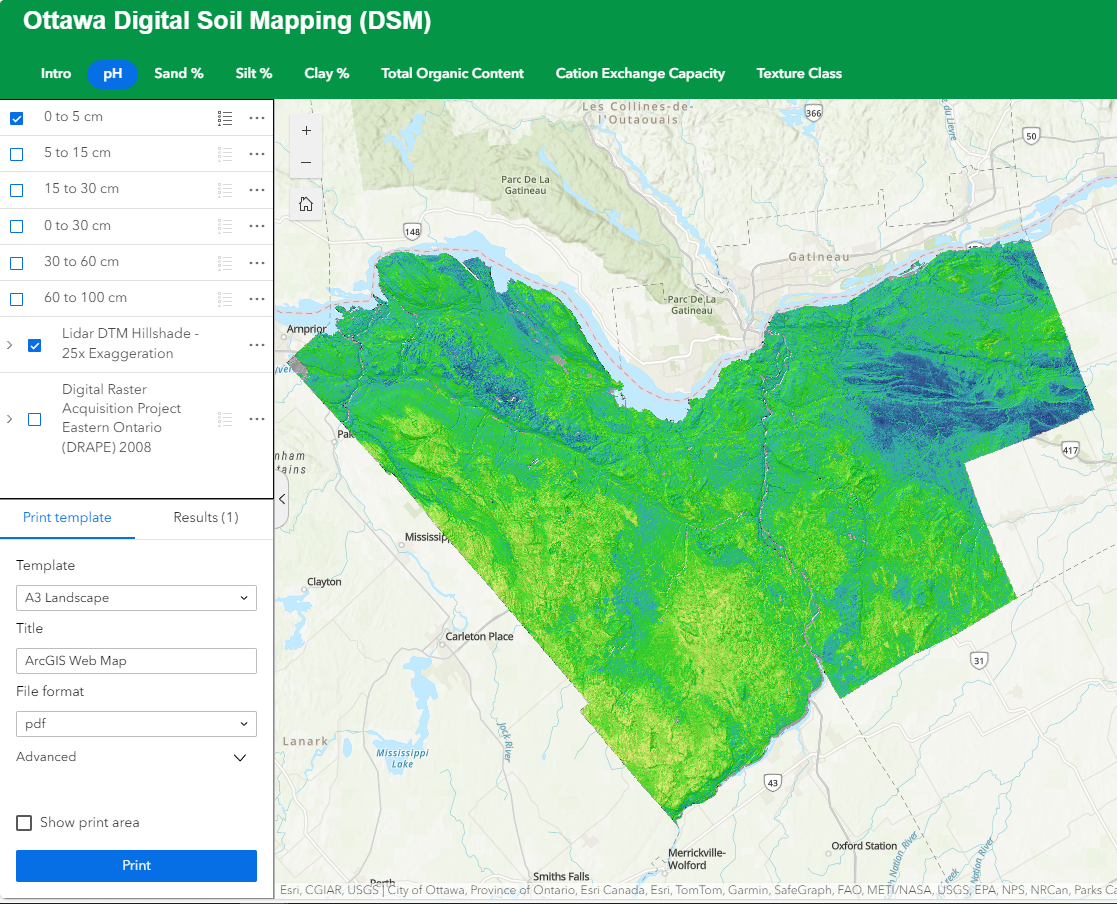
I have a raster service that shows a specific soil property at different depth intervals. There are six depths per raster service and are represented by bands. I used the Stretch Style to symbolize the raster service and select the band that corresponds to the depth I wish to map.
The image below shows the web app that I created with the symbology that I expect to appear in the print result.
The resulting PDF uses a completely different symbology.
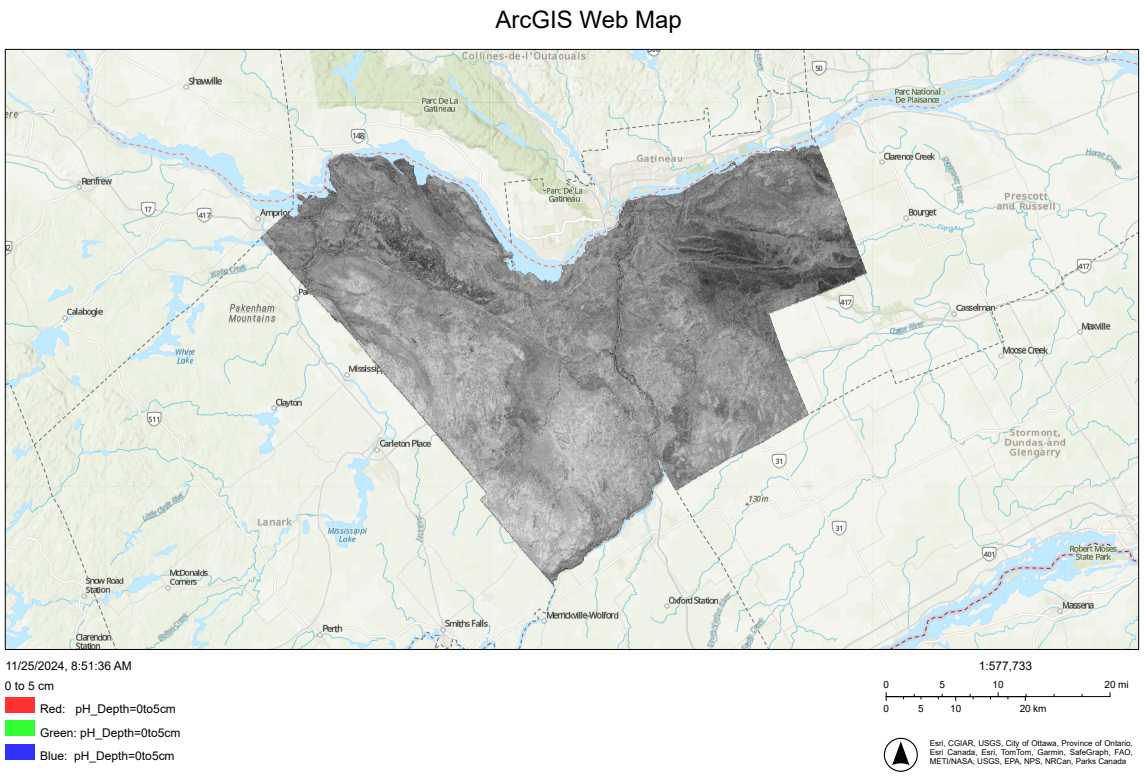
I'm not sure why the print widget is reverting back to the default symbology. I just assumed that whatever I see in the web app window would be the same in the print widget result. Unfortunately, that is not the case.
Is this an issue related to how my raster service is symbolized, using bands and stretch values, or is it a bug in the print widget.
Any assistance or suggestions would be greatly appreciated.
Thanks.
~DJB


