When the user logs in to the enterprise portal and selects the layer he wants to see, that layer is not displaying.
This is happening with all the layers that have an ID different from 0.
for example in this case the ID layer is 2:
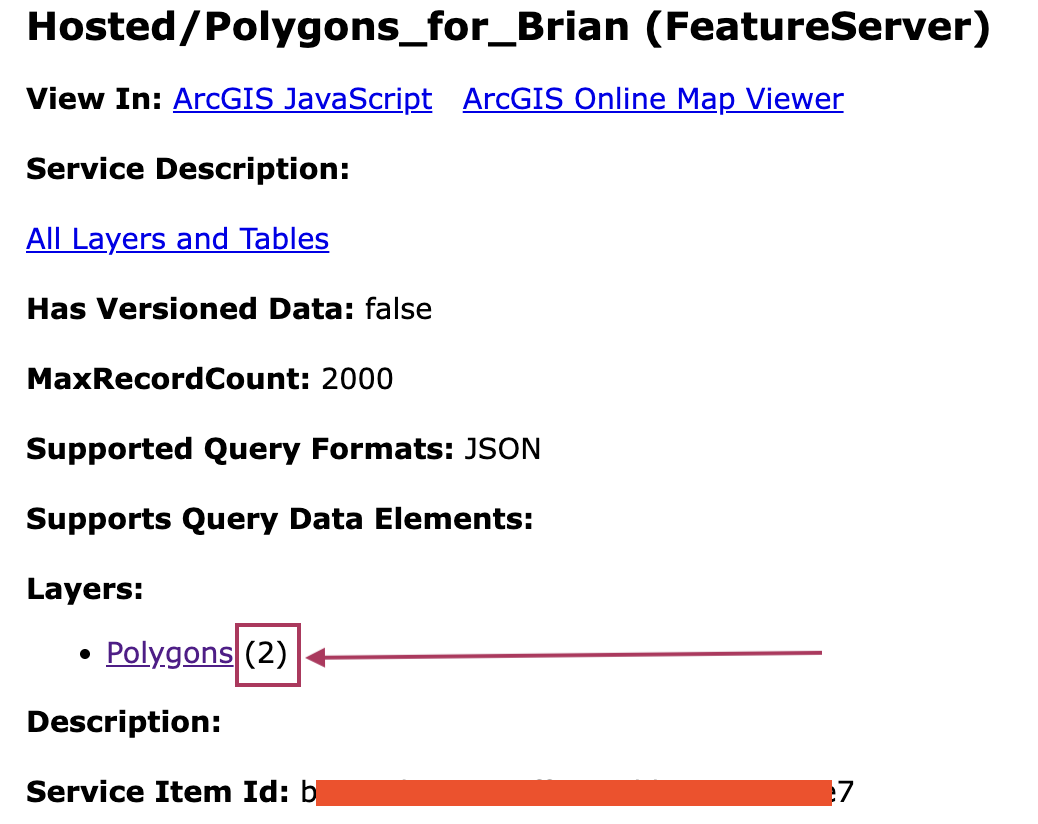
With any layer with an ID equal to 0, it works very well.
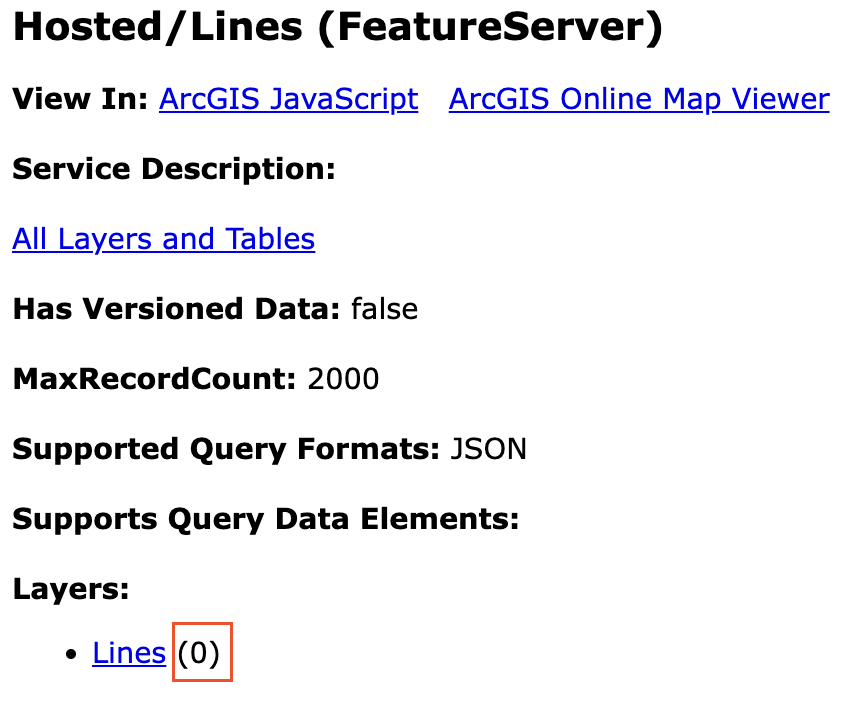
The URL is https://server.xyzxyzxyzxyzxy/FeatureServer, but we could see in the logs this:
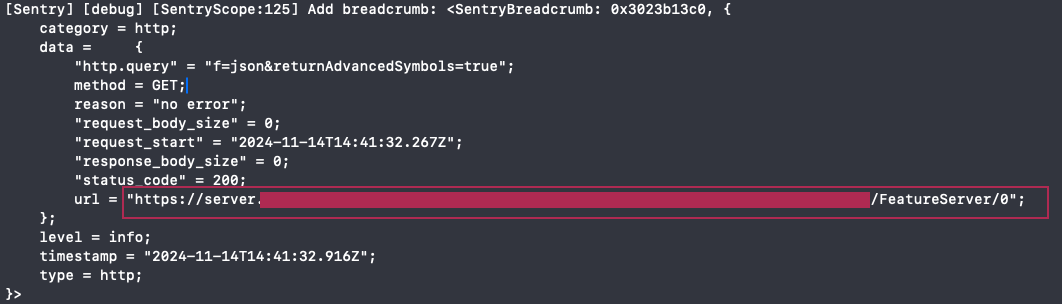
So, it is like the "/0" was added, that's why the layer is not displaying, because the URL should be: https://server.xyzxyzxyzxyzxy/FeatureServer/2
As it is a private layer, the app is using the portal item ID instead of the URL to get the layer: ServiceFeatureTable(item: portalItem), but the layer is not displaying in the map, and the app doesn't have any error from the library.
var featureLayer: (PortalProtocol, String) -> LayerProtocol? =  { portal, portalItemID in
        guard let itemID = ArcGIS.Item.ID(portalItemID), let portal = portal as? Portal else { return nil }
        let portalItem = PortalItem(portal: portal, id: itemID)
        return FeatureLayer(featureTable: ServiceFeatureTable(item: portalItem))
    }

