Hello, I have a fairly complicated web app I've been working on in Experience Builder. It has multiple pages, and each page references a different version of the same web map, with different data filters (for some layers,, we want to show the full set of features regardless of map instance, and with others, we only want to show data specific to that map).
I used the data tab in Experience Builder to set those filters. However, I needed to add a layer to an existing FeatureServer (from REST Services Directory). I updated the underlying ArcGIS Pro project and republished the service. The new layer appeared just fine in Map Viewer, but the new layer is not showing up in the app itself.
I have looked through each Web Map in the Data tab, and the new layer is shown there. I have tried 'hiding' and 'showing' the feature layer from within the Web Maps there , but that has no effect.
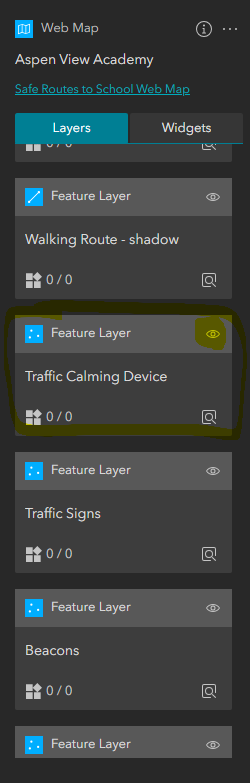
I have also gone into the Feature Layer settings from there, and turned on Auto Refresh. I have additionally confirmed there are not any filters set.
I duplicated one of the pages and created a new instance of the web map in Experience Builder and the layer shows up there. However, it would be quite a bit of work to recreate all the map instances (three different pages, multiple data filters, widget connections, etc.
Is there something I'm missing the the Data tab? Is there any way to get the new layer to show up in those existing web map instances?


