Hello,
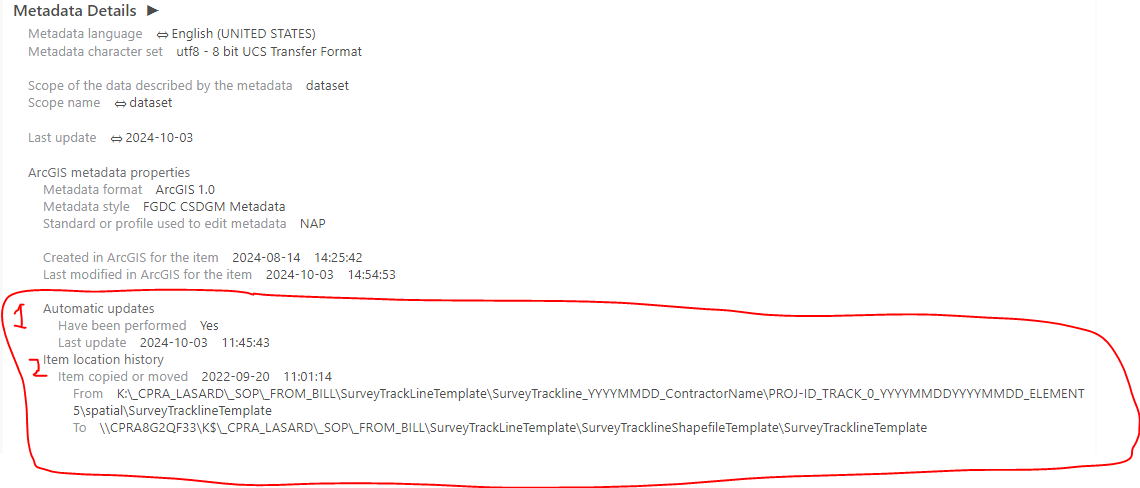
I am formatting metadata for a few files saved in a File Geodatabase. I am using ArcGIS Pro 3.2.0. For Metadata style, I am using North American Profile of ISO19115 2003. After editing and formatting the metadata, I review the metadata in the "View Metadata" window pane. I have noticed that there are two sections of metadata that appear in the "View Metadata" pane that I cannot modify or delete in the "Edit Metadata" window pane. These sections are the "Automatic Updates" and "Item Location History" that are found under the "Metadata Details" section (see screenshot below). Does anybody know how to delete or modify these sections?
Thanks!



