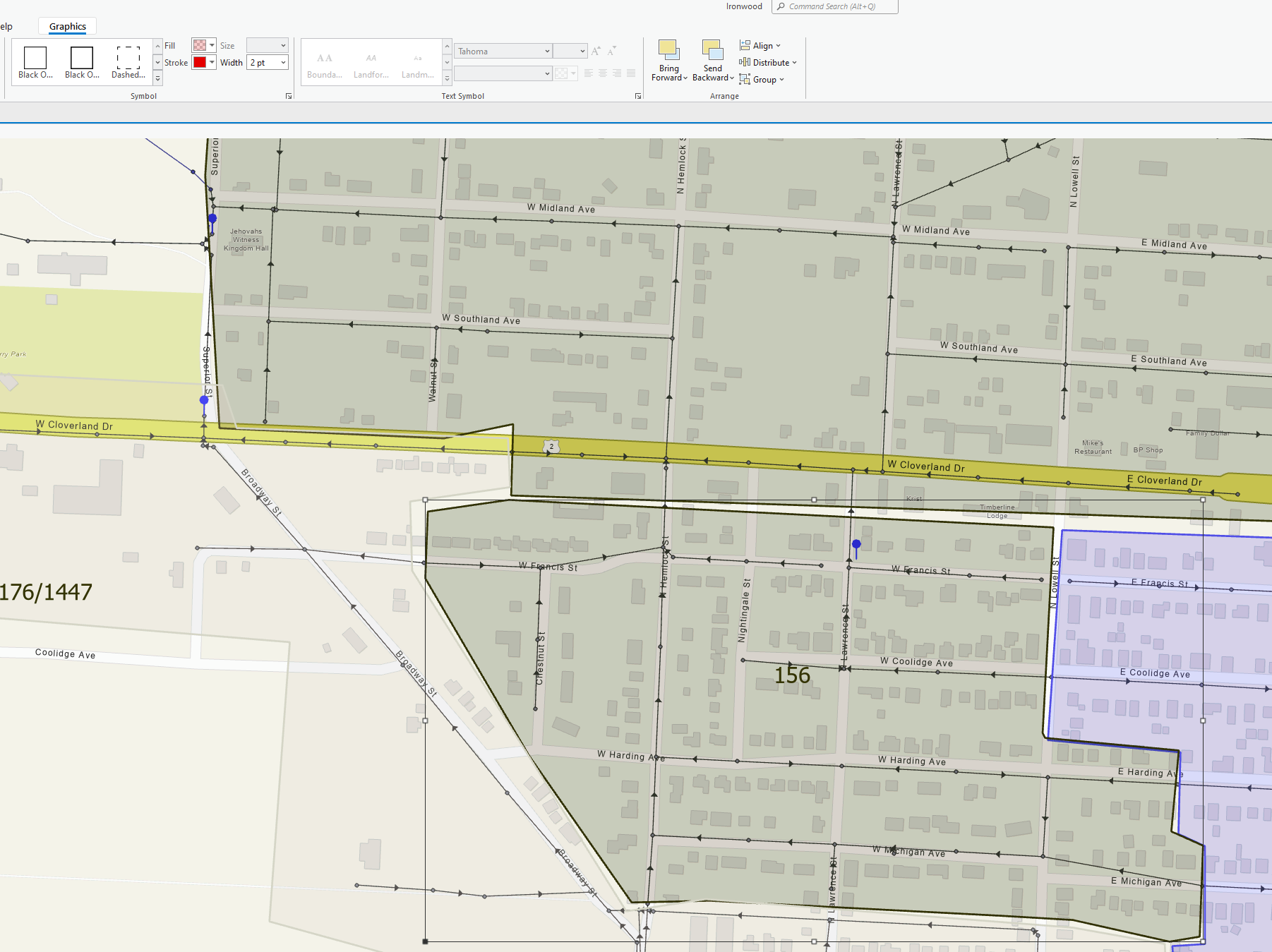
I hope I have this posted in the correct place. I searched and could not find an answer. The bottom polygon should have a red fill as indicated in the dropdown. The outline should also be red. There are a number of polygons that have the incorrect color is there a way to fix this? I am not seeing the issue on other projects.
It appears that you are running the following that may be causing the problem:
Thank you, Barry! Ironic that I didn't see that.😆
Ok. Kinda sounds like a transparency issue then. Check and see if transparency is turned on for that particular feature.
*Either that, or maybe you simply have an additional layer on top of it?
Thank you for your kind response. The issue is not finding how to change the color. The problem is that the colors don't match what I select. It is only on this particular project.
In the table of contents choose the layer in question, right-click, choose symbology. From there, it's very straight forward.
Symbolize feature layers—ArcGIS Pro | Documentation
Hope that helps.
Les membres connectés peuvent publier, suivre les mises à jour, et plus encore. Nouveau ici ? Inscrivez-vous gratuitement.
Find useful guides, FAQs, and documents to help you navigate and make the most of Esri Community.