We are on Enterprise 10.9.1, and I am using Experience Builder through Enterprise for a very simple experience. There is a one layer that I have popups enabled for (parcel based), and I am wondering how to get that selection to highlight when selected?
When using both Web Maps and Web App Builder, if you select an item it gets highlighted in teal to show you what is being selected (as seen below):
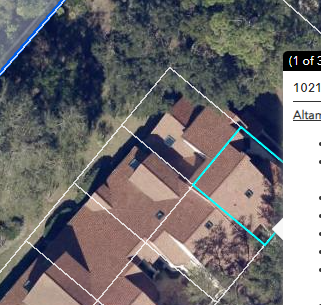
Does Experience Builder not have this available? I cannot seem to find any sort of documentation available. As you can see below, when selecting somewhere on the border of two features, you can see in the popup that there are multiple features to look at their popup - but you can't tell which item is selected, and the popup arrow doesn't move to show you:
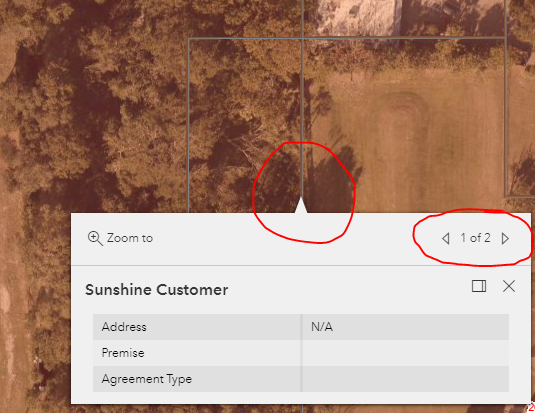
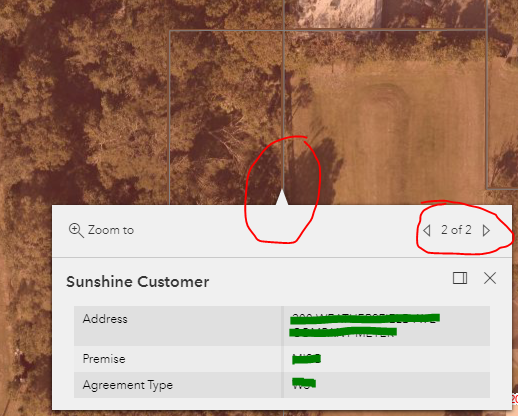
I don't know there if there is a setting I'm missing - but I don't need to do any sort of data manipulation, I just need my parcel to be highlighted when you select it so users will know what they are looking at. This way they know what pop up is being associated with which parcel.
I know that you can turn of "Select" under Tools in the map frame of experience builder, but that enables you to select multiple items and it doesn't show you a popup like I need. This is not the function I need.
Thank you!




