I have an Experience Builder Developer (v1.13) app with several pages. By default, the browser's document.title property for the published app's page is "<title of page> | <header title >" and the app's page name appears in the URL as follows: "https://<domain>/<app id>/?page=<page name>.
My goal is to override the 'document.title' property so that I can set the URL parameters and the browser tab title independently of each other. In other words, I want to keep the URL as simple as possible, while setting a very detailed browser tab title. e.g. "This is my long browser title" which I do not want in my app page's URL: 'https://experience.arcgis.com/experience/appid/?page=simple' rather than 'https://experience.arcgis.com/experience/appid/?page=this%20is%the%20page%20name'
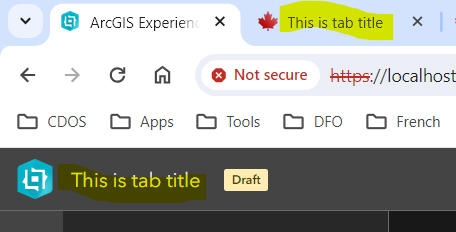
I know we can set the browser title for the app in the builder as shown in the screenshot above, but I want to be able to set different titles for different pages and would like to avoid creating a separate app for each page.
I have tried a couple of different methods to set the 'document.title' property and have successfully been able to implement it in a couple of custom widget .tsx files however the document title element gets overridden once the user interacts with the map and triggers pop-ups.
Has anyone been able to successfully customize this property?
