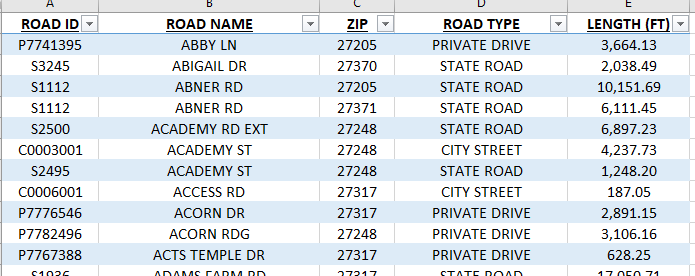
I have several reports that I have created in Excel that I would love to create in Pro to make life easier. I have gotten the reports formatted in Pro except needing for every other row to be shaded to make it easier to review the information like shown below. Has anyone been able to figure out how to do the shading in Pro like I can do in Excel?
Thanks for any guidance!
Hi @tvmangum!
Thanks for your question! Yes, this is possible. Select the Details subsection in the Contents pane and you will see a "Details" tab appear on the ribbon. The option to set an alternative row color is there. Hope this helps!
- Alycia
Update - I found it! IT wasn't appearing earlier, maybe I had not clicked on details properly. 🙂
If someone can show me where this is- I've searched for the Details ribbon when clicking on the Details portion of the Contents pane and do not see a ribbon or option for alternating rows. Thanks.
That is exactly what I was looking for to get my report formatted.
Les membres connectés peuvent publier, suivre les mises à jour, et plus encore. Nouveau ici ? Inscrivez-vous gratuitement.
Find useful guides, FAQs, and documents to help you navigate and make the most of Esri Community.