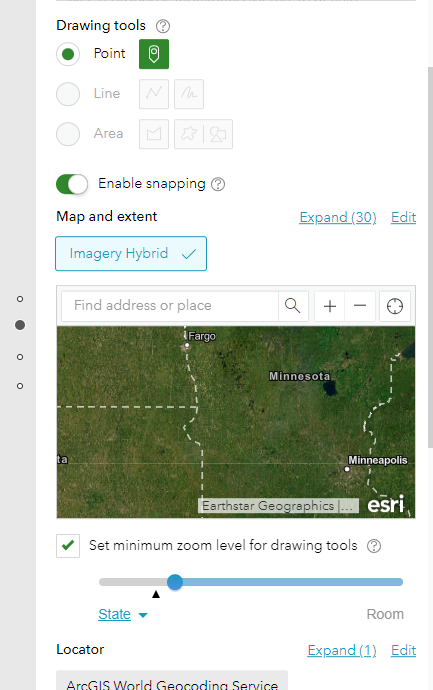
We are working on creating an online survey using Survey 123 from the AGOL website. After adding a map to the survey (for users to add monitoring locations) I am unable to get a legend to show up. Any tips on how to get a legend to show up in the map. Screenshot below is the design view of the map we have added to this web survey. Thanks for your help.
Three years have passed since you asked this question and I find myself searching for the same answer. I think one creative way of displaying a legend is to add a note from the Display and structure section. In the note, you can add an image. The unfortunate thing is that the image is grainy when the survey is published.
I thought of another idea, but I am running into obstacles with this as well - if you create a note and you use unicode to create your legend (see copy and paste below), then you can adjust the color of each character. It is not elegant and doesn't allow me to have my unique icons. These are just two weird work around ideas to consider. Good luck. Hopefully they fix this some day.
▅ Cities
─ MAX Red Line
Les membres connectés peuvent publier, suivre les mises à jour, et plus encore. Nouveau ici ? Inscrivez-vous gratuitement.
Find useful guides, FAQs, and documents to help you navigate and make the most of Esri Community.