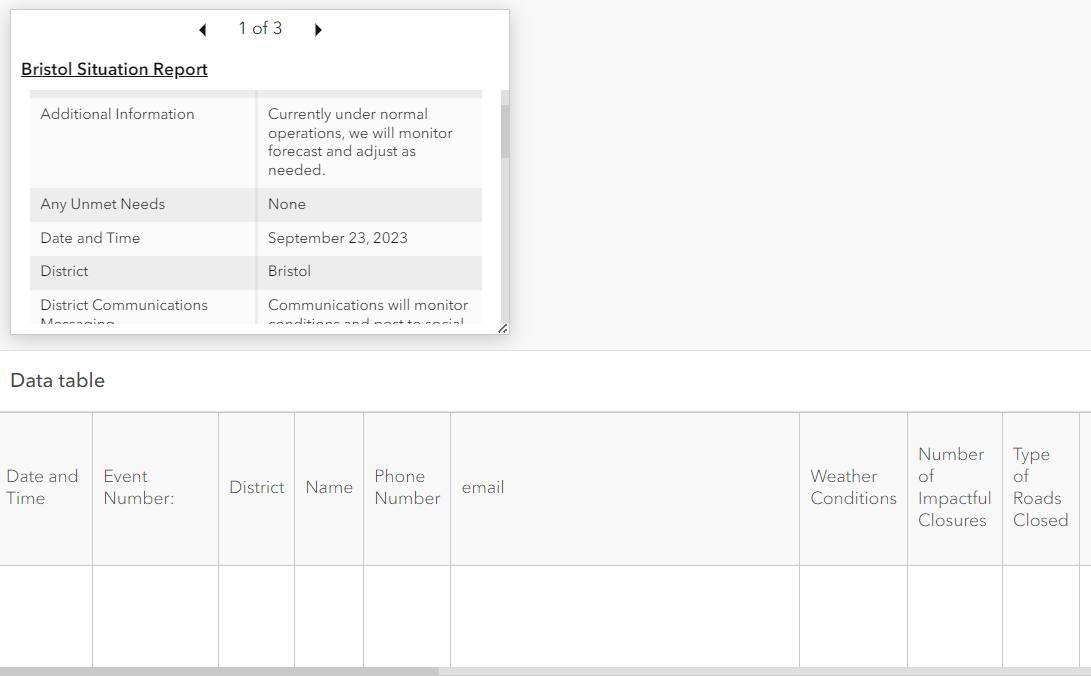
I am creating a dashboard that will display information gathered from a survey. I am using the details element in the dashboard to display the information in the fields of the layer. When I create the details element it puts the fields in a random order instead of displaying them in the field order for the layer. Is there a way to correct this issue? Images below
If the layer is being pulled into your Dashboard through a webmap, you will need to configure the pop-ups in that webmap. Otherwise, you will need to configure the popups on the layer itself through the visualization tab on the Item Details page.
Either way, the general process is the same. Expand the field list and grab the fields by the dots and drag them to a new position. I would also recommend removing any unneeded attributes like ObjectID by clicking on the X.
Les membres connectés peuvent publier, suivre les mises à jour, et plus encore. Nouveau ici ? Inscrivez-vous gratuitement.
Find useful guides, FAQs, and documents to help you navigate and make the most of Esri Community.