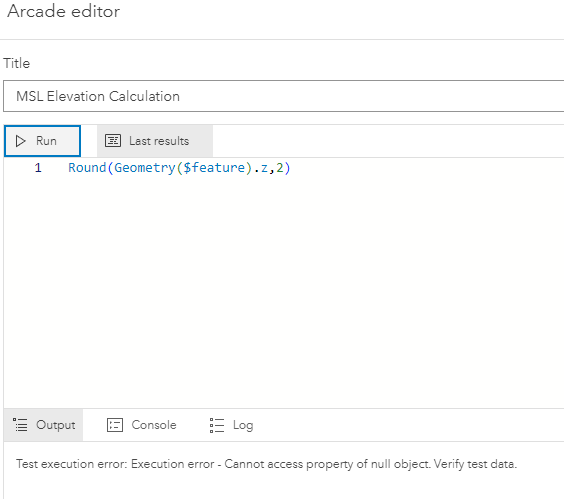
I created a new point layer in ArcGIS online and added it to a map. I want to automatically calculate the MSL vertical elevation using arcade and have done so before on other layers but for some reason the calculation doesnt work for this layer and I dont understand why. Below is a snapshot of the equation with the error message. When this work it normally displays a 0
I figured it out. For some reason I just needed to have a single feature created and on that map and then the calculations worked. It didnt seem to want to work without a feature existing.
You should be able to use the code as written. The result will show up in the Console tab of the expression builder.
Seems odd, but I agree with @DavidPike that some debugging would be helpful.
Try assigning geometry($feature) to a variable and print to the Console, like
var geom = Geometry($feature)

Console(geom, geom['z'])
Understanding what's going into the rounding function will help explain why it's not returning what we want.
Its a brand new layer made in ArcGIS Online and selected the geometry and Z value options. The URL shows it has both enabled
You checked that all features have a Z value? possibly an if/else to catch exceptions would be good practice.
Les membres connectés peuvent publier, suivre les mises à jour, et plus encore. Nouveau ici ? Inscrivez-vous gratuitement.
Find useful guides, FAQs, and documents to help you navigate and make the most of Esri Community.