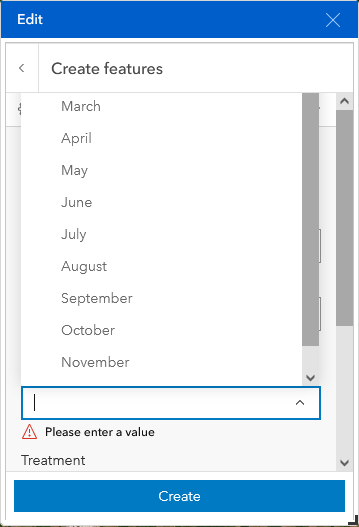
In Experience Builder, when I use the Edit widget to create a new feature I must also fill in misc attributes about that feature. When I open dropdown menus, the dropdown opens above the field, and this pushes the top options out of the viewable window. In the below image, you can see that the top months (January and February) are obscured, and both of the scroll bars are at the top most point. I can get around this by starting to type in the obscured month or by expanding the Edit window until the vertical scroll bar disappears. This makes the dropdown open beneath the field, but these options aren't the preferred solutions to this bug.