I'm signed in to Pro and trying to add a hosted feature layer from my ArcGIS Online account. The hosted feature layer is accessible in ArcGIS Online when logged in using the same credentials as I use in Pro (i.e. I'm definitely logged in to the same ArcGIS Organisation). The settings on the hosted feature layer all look fine but when I try and add this layer to my Pro project I get the following error:
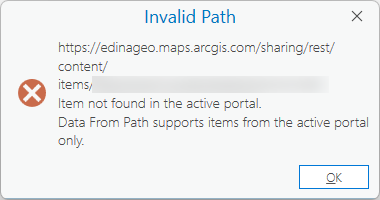
Item not found in the active portal. Data From Path supports items from the active portal only.
This item is 100% in the same portal. I can add a View created in ArcGIS Online from this hosted feature layer to my Pro project and that works fine. I've tried logging out of the portal in Pro and back in again, and I've restarted Pro but nothing works. I can't see anything in the settings of the hosted feature layer that would prevent it from being added to my project in Pro.
I need to add the hosted feature layer to my Pro project so I can edit the data.
Please help as I'm tearing my hair out!

