Hi,
I was using route sample of ArcGIS JavaScript 4.x
https://developers.arcgis.com/javascript/latest/sample-code/sandbox/?sample=route
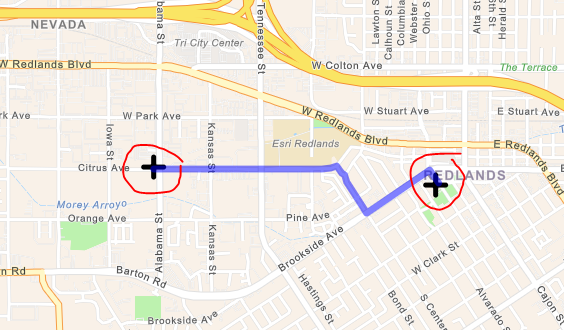
In this example, we can see the route layer with route stops but when we zoom out the route layer overlaps on the route stop.
Is there a way we can stop this overlap, or we can hide the route layer behind the route stop?
Thanks
Aditya Kumar
I managed to fix it by changing routeLayer.add(stop); to mapView.graphics.add(stop);
after that the route layer is not coming on top of route stop.
Les membres connectés peuvent publier, suivre les mises à jour, et plus encore. Nouveau ici ? Inscrivez-vous gratuitement.
Find useful guides, FAQs, and documents to help you navigate and make the most of Esri Community.