Hi All,
Here's what happens:
- I open the python command prompt in the default arcgispro-py3 environment, which has gdal installed.
- I run ogr2ogr --help to test/confirm that I can use ogr2ogr.
- I get, in succession, the 3 error messages below telling me that some dll files are missing:
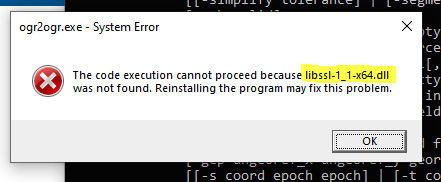
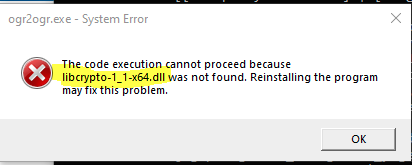
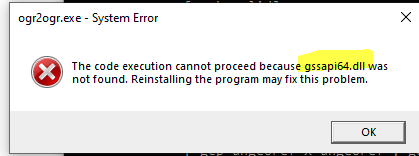
Next, I confirmed which version of gdal ships with the Pro environment, and it is gdal 3.4.0:

Then, as a test, I created a new, non-ESRI conda environment and installed gdal 3.4.0 in it by running conda install gdal=3.4.0, and that worked, i.e., ogr2ogr works fine from a gdal installation in the non-ESRI environment, but I get the "dll not found" errors when running from the ESRI environment.
I looked in environment folder that contains ogr2ogr.exe and, lo and behold, the 3 dll files are in the non-ESRI environment version of gdal, but not in the ESRI environment version.
Any reason why the ESRI environment doesn't load these DLLs with gdal? Would it mess things up if I simply copied the 3 DLLs over from the non-ESRI installation of gdal over to the ESRI installation?
Also, I didn't always have this problem--I believe it has only come up since updating to Pro 3.0.
Thanks,


