I use Rene's example posted at: https://codepen.io/odoe/pen/rqXqVw?editors=0010
to export featuretable to csv but it produces a csv file with 2 fields including the objectid.
I first selected the features by the geometry.
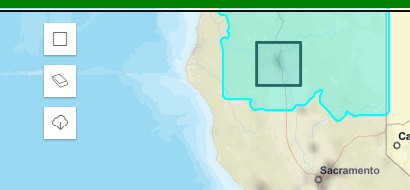
Then the feature table is updated to show selected features.

Then clicked on the export button to create the csv file but only one field but records span across multiple fields!
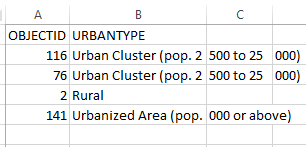
As Rene's example shows, first declare the variable
let resultFeatures
get the selected features.
 featureLayerView
            .queryFeatures(query)
            .then((results) => {
              const graphics = results.features;
              resultFeatures = graphics;
THen, attach code to the export button:
view.ui.add("btn-export", "top-left");
      const btn = document.getElementById("btn-export");
      btn.addEventListener("click", () => {

        if (resultFeatures.length) {
          // export to csv
          const attrs = resultFeatures.map(a => a.attributes);
          console.log(attrs)
          const headers = {};
          const entry = attrs[0];
          for (let key in entry) {
            if (entry.hasOwnProperty(key)) {
              headers[key] = key;
            }
          }
          exportCSVFile(headers, attrs, "export");
        }
      });
The issue by now is exposed because one field is passed on to the CSV. Why?

