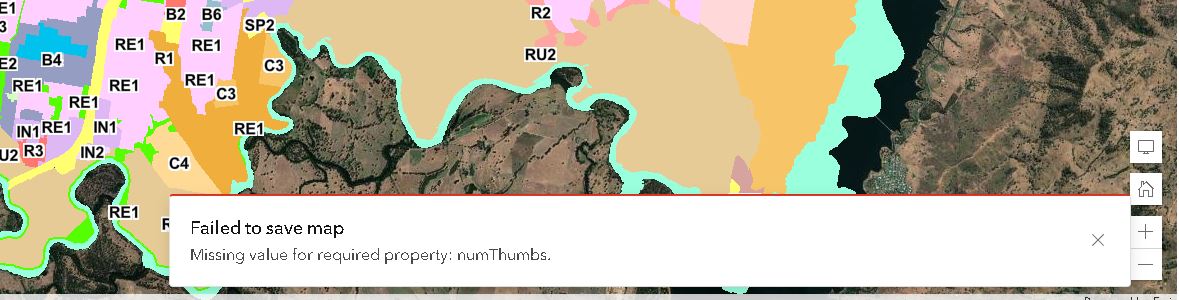
I have uploaded a new feature layer to Agol to add to a new map. After I add the layer to my map I am unable to save the map as it states I am missing parameters "numThumbs" which does not exist on this layer on map. Is there somewhere I cannot find where this "numThumbs" exists?
Hi @Anonymous User and @Deastman
I just tested again to add layers to a existing webmap and at the moment the issue is not occurring. In a new webmap, as you are testing, this was not an issue. Maybe there has been some fix installed for something else.
In my workflow I published the data as 'share as web layer" from ArcGIS Pro 2.8.3 (because when saving the webmap your hosted feature layer will also save with the same name as the webmap). It will also preserve the 'group layer' as one hosted feature layer. but of course you will lose the name of the layers as in Pro.
Greetz,
Stefan
Hi @Deastman & @Stefan_Thorn just revisiting this now. It seems like there is indeed a bug somewhere in here but I still haven't been able to reproduce it. Here's what I just tried:
This works as expected for me.
I think I'm probably just missing something in the workflow - can you list out the exact steps that you've taken to consistently reproduce the issue?
Thanks,
-Peter
...and then I made some edits to the map and the problem has come up again. I think the only change was adding some features to a layer already in the map.
Hey @MJBiazar - I had the same issue. Saving in Classic seemed to fix it. Tried removing layers and turnign off time etc to no avail...
Here's the webmap if you want to take a look:
https://esriaudefence.maps.arcgis.com/home/item.html?id=74848de4af2843bb80c1944cbd10295a
Additional,
doing the add/remove trick to be able to save the map is also messing up the order of the layers. I noticed that all my (group) layers are in reversed order.
Doing add/remove again will put the layers in the right order again.
Hi @Anonymous User ,
I am experienced the same issue, only in the New Map Viewer.
In Map Viewer with an existing map it gives the error:
Additional, workaround:
Doing the steps above in a new map, I can keep saving this map.
(no attachments or time enabled)
Hey MJ,
With your tip it was able to be saved using map viewer classic. Which is weird due to it being both the same map and layer used just in the classic viewer it saved.
i am now able to continue to edit the layers in the new map viewer so it seems as though that error is only in the new viewer
Josh
Hi @JoshuaBruni I have not seen this error before when saving a map but it would be helpful to take a closer look at your data. I have a few question to understand the environment of this issue better:
Thanks!
MJ
Hey Peter, I have just changed the thumbnail and there has been no change. It is a feature layer from ArcGis Pro. i have uploaded many others in the past and had no errors.
Hi @JoshuaBruni did you publish this feature layer from ArcGIS Pro? If you add a thumbnail image from the item details page of the hosted feature layer does that resolve the issue?
Les membres connectés peuvent publier, suivre les mises à jour, et plus encore. Nouveau ici ? Inscrivez-vous gratuitement.
Find useful guides, FAQs, and documents to help you navigate and make the most of Esri Community.