We have one group who has a service that is way bigger than anyone else, even though there are less photos in it.
I think I traced it down to the 123 app vs the camera app.
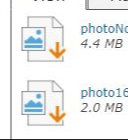
Here the top photo was taken in 123 by hitting the Camera icon and taking it directly. The bottom photo is the same exact shot but taken with the camera app. It is less than half the size.
What is going on here? My guess is 123 is not allowing the iPad to do its normal compression and instead giving a non compressed photo? Also the bummer is that even when reducing the image size using max-pixels the photos are still not really compressed and larger than the camera app.
iPad Pro 12 inch with a 12 MP camera and iOS 15. Using Unrestricted in 123 settings.
Then it gets really weird.
Next I tested a iPhone 8+ and a iPhone mini and there is 0 diff in size.
Next tested a iPad Pro 11 and 123 is then smaller than the camera app - I checked and it is iOS 14.7. Tested a iPad regular 6th gen and the 123 app is half the size of the camera (so both the total opposite on the Pro 12) - this one is 14.8. Then I tested a Pixel 4 and the camera app is 4x the size of 123 app.
Next I had everyone update to iOS 15. Made no difference. For some reason just my iPad Pro 12 inch is larger in 123. No idea why. Still seeing with the rest of them that the camera app is 2x the size of 123. Still not sure why. I did find some posts of this happening to iOS devices suddenly doing this.
Anyone else see this or know what is going on here? There are no settings for this kind of stuff in the iPad so I am at a total loss now as to what to advise the staff.
thanks a lot




