I ran into problems acquiring Spyder using the ArcGIS Pro Python Package Installer. I went through the normal process of creating the cloned environment in the program but none of the install processes would ever complete.
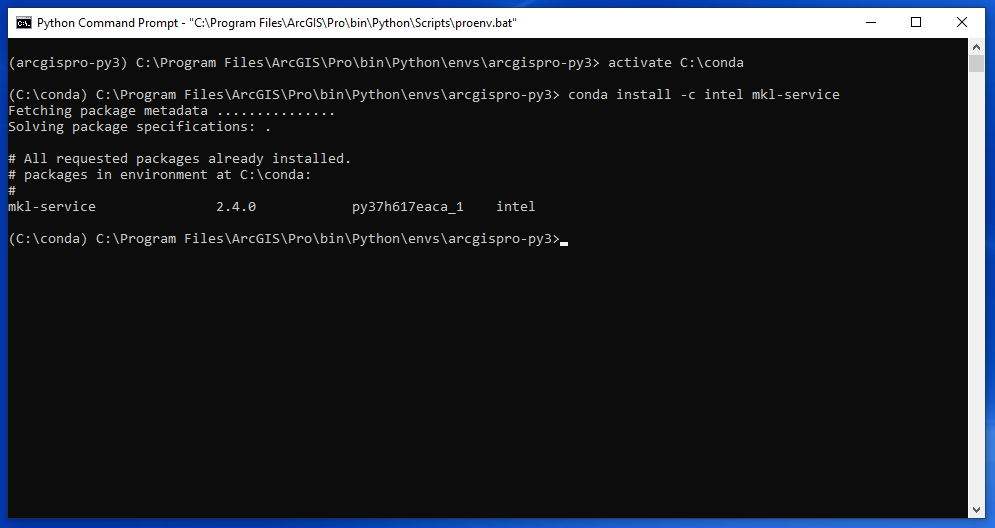
I read up more online and resorted to both cloning the Python environment and installing the modules/packages I wanted through conda via the Python Command Prompt. I can verify that the packages have installed in the cloned environment by checking back afterward in Pro and seeing them in the installed packages list.
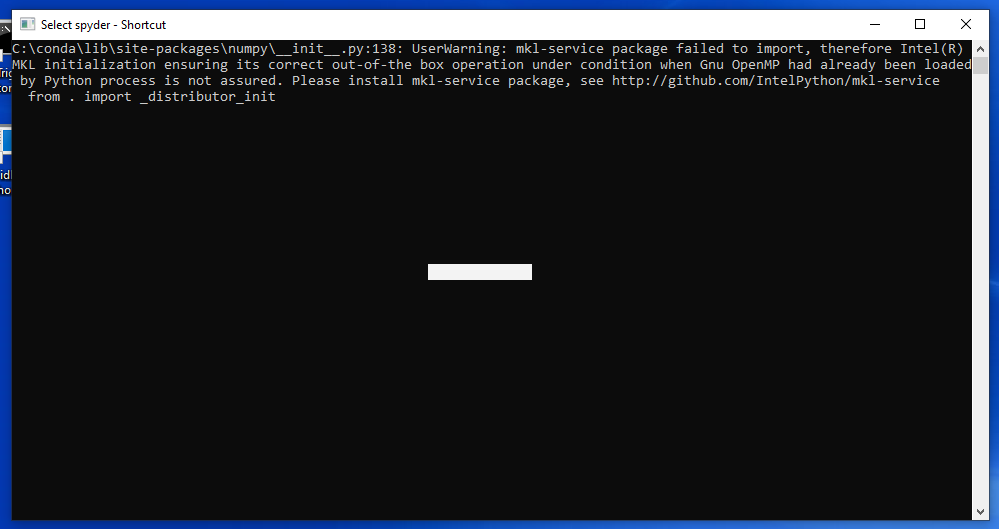
However, I can't get Spyder to launch successfully from the .exe file in the Scripts folder in the cloned directory. I get this message coming up in the Command Prompt that closes very quickly unless I click and drag inside the window. The package the error message claims is an issue is definitely also installed though. See attached screenshots.
Any idea of why this would happen? I'm not sure what I'm missing. If it matters, the cloned environment is activated both in Pro itself and the Python Command Prompt.
Sorry if I committed some faux pas with my post here, I am a first time poster. Thanks!